Introduction
If you have worked with Python for more than five minutes, you have probably lived through this ritual: create a virtual environment with venv, install packages with pip, discover that you need pip-tools to generate a lockfile, use pyenv to switch Python versions, consider Poetry but give up because of its complexity, and eventually accept that dependency management in Python is an exercise in patience.
The Python ecosystem has always been like this — powerful, but fragmented. Each tool solves one piece of the problem. None of them solves everything. And the developer is stuck in the middle, gluing pieces together like an endless jigsaw puzzle.
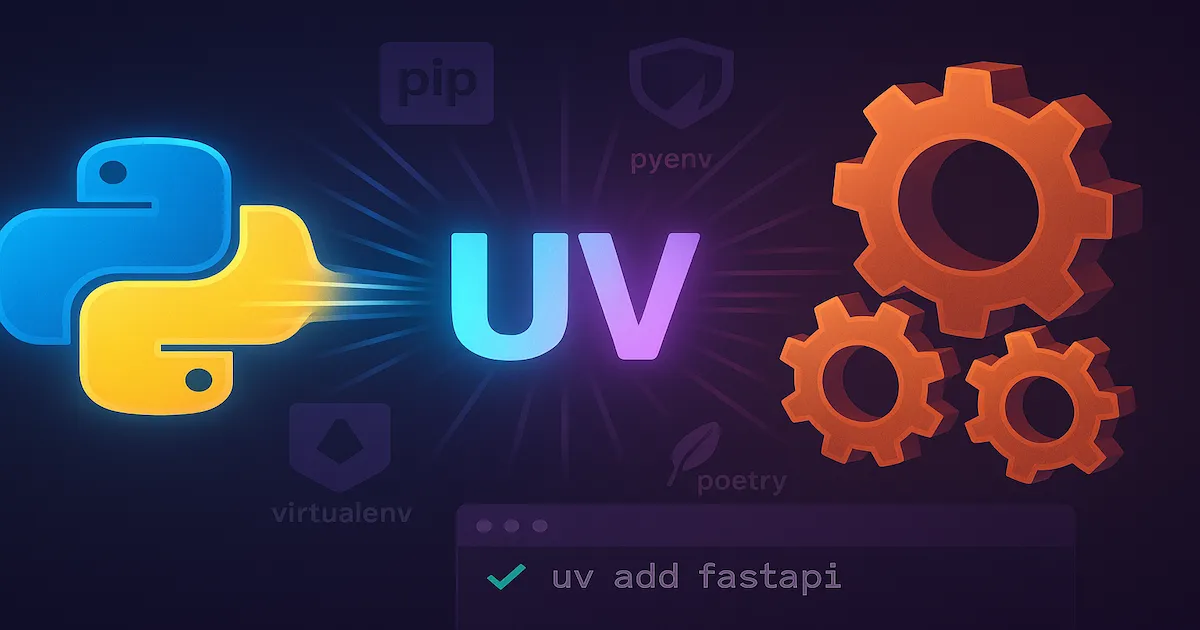
That has changed. In February 2024, Astral — the same company behind Ruff, the fastest Python linter in the world — launched UV: a manager for packages, virtual environments and Python versions written in Rust, up to 100 times faster than pip. And it did not come to be just another piece of the puzzle. It came to be the whole puzzle.
In this article, we will explore:
- The history of Python — who created it, when, and who maintains it today
- Why Python gained so much prominence in recent years
- The fragmentation problem that UV solves
- What UV is, who created it, and how to use it in practice
- And the question that will not go away: in complex applications, with architectural patterns and modularity, does Python compete with C#?
If you already use Python or are evaluating whether you should, this article is for you.
Python: A Brief History
Origins
Python was created by Guido van Rossum, a Dutch programmer who worked at CWI (Centrum Wiskunde & Informatica) in Amsterdam. Development began in late 1989, and the first public version — Python 0.9.0 — was released in February 1991.
The name has nothing to do with snakes. Guido was a fan of the British comedy group Monty Python, and he wanted a short, mysterious and slightly irreverent name. It worked.
Philosophy
From the start, Python was designed with a clear philosophy: readability above all. Where other languages use braces {} and semicolons ;, Python uses indentation. The idea was that code should be as easy to read as it is to write.
This philosophy was formalized in the Zen of Python (PEP 20), which you can see by running import this in the interpreter:
| |
| |
💡 The Zen of Python is not just poetry — it still guides the language’s design decisions today.
Guido and the BDFL
For almost three decades, Guido acted as BDFL — Benevolent Dictator For Life. He had the final word on any design decision in the language.
That changed in July 2018, when the controversial PEP 572 (which introduced the := operator, nicknamed the walrus operator) sparked such intense debate in the community that Guido decided to step away. He renounced the BDFL title and retired from direct leadership.
Who maintains Python today
Since 2019, Python has been governed by a Steering Council — an elected five-member committee that makes decisions on the language’s design and direction. The council is elected by the community of core developers for each release. Behind the Steering Council is the Python Software Foundation (PSF), a non-profit organization that looks after infrastructure, events, funding and the protection of the Python brand.
ℹ️ Guido van Rossum worked at Dropbox (2013–2019) and later at Microsoft (2020–2023), where he contributed significantly to the performance of CPython (the default interpreter). Today he remains an emeritus core developer, but without veto power.
Landmark versions
| Year | Version | Milestone |
|---|---|---|
| 1991 | 0.9.0 | First public version |
| 2000 | 2.0 | List comprehensions, garbage collector |
| 2008 | 3.0 | Broke compatibility with Python 2 (a painful migration that lasted more than a decade) |
| 2015 | 3.5 | Native async/await, type hints (PEP 484) |
| 2016 | 3.6 | f-strings (f"Hello {name}") — changed how strings are formatted forever |
| 2020 | 3.9 | Dictionary merge with |, native generic type hints |
| 2022 | 3.11 | Performance improvements of 10-60% (Guido’s Faster CPython project at Microsoft) |
| 2023 | 3.12 | Per-interpreter GIL (the start of the path to removing the GIL) |
| 2024 | 3.13 | Experimental free-threaded mode (no GIL) |
⚠️ The migration from Python 2 to Python 3 was one of the most painful in the history of computing. It took more than 12 years — Python 2 only reached its EOL (End of Life) in January 2020. That traumatic experience shaped the community: since then, Python avoids breaking compatibility at all costs.
Why Python Gained So Much Prominence
If someone had told you in 2010 that Python would be the most popular language in the world within a few years, you would probably have doubted it. Back then, Java, C and C++ reigned. Python was seen as a scripting language, good for automation and little else. What changed?
The data and AI revolution
The rise of data science, machine learning and artificial intelligence put Python at the center of the map. Not because Python was the fastest or most robust language — but because the ecosystem formed around it:
| Area | Dominant Python libraries |
|---|---|
| Numerical computing | NumPy, SciPy |
| Data analysis | Pandas, Polars |
| Machine Learning | scikit-learn, XGBoost, LightGBM |
| Deep Learning | TensorFlow, PyTorch, Keras |
| Generative AI | LangChain, Hugging Face Transformers, OpenAI SDK |
| Visualization | Matplotlib, Seaborn, Plotly |
| Notebooks | Jupyter, Google Colab |
When TensorFlow (Google, 2015) and PyTorch (Meta, 2016) chose Python as their main interface, the outcome was sealed. Researchers, data scientists and ML engineers concentrated on Python, and the network effect did the rest.
Academic adoption
Universities around the world started teaching programming with Python instead of Java or C. MIT switched its introductory course to Python in 2009. Stanford followed. The consequence: an entire generation of developers grew up with Python as their first language.
Versatility
Python is not only for AI. It has a significant presence in:
- Web: Django (full-stack), FastAPI (modern APIs), Flask (microframework)
- Automation and DevOps: Ansible, infrastructure scripts, CI/CD
- Scripting: replacing Bash for complex tasks
- APIs and microservices: with FastAPI + Pydantic
- Education: thanks to its clean syntax and low barrier to entry
Python in numbers (2025–2026)
| Indicator | Position / Metric |
|---|---|
| TIOBE Index | #1 (leader since 2021) |
| Stack Overflow Survey 2025 | Top 3 most used languages |
| GitHub Octoverse 2025 | #1 in new repositories |
| PyPI (official repository) | 600,000+ published packages |
| Monthly downloads (PyPI) | 15+ billion |
💡 Python is not necessarily the best language for every problem. But it is the language with the least friction to get started — and that counts for a lot when the goal is to validate ideas, prototype or iterate quickly.
The Problem UV Solves
Now that we understand why Python is so popular, let’s get to the point every Python developer knows well: the chaos of package and environment management.
The ecosystem before UV
The history of dependency management in Python is a history of fragmentation. Each tool solves one piece of the problem, but none of them solves everything:
| Tool | What it does | What it does NOT do | Problem |
|---|---|---|---|
| pip | Installs packages | Does not manage environments, no native lockfile | Slow (resolution in pure Python), no reproducibility |
| virtualenv / venv | Creates virtual environments | Does not install packages, does not manage Python versions | It is just one piece of the puzzle |
| pip-tools | Generates a lockfile (pinned requirements.txt) | Does not manage environments or Python versions | Requires manual combination with pip + venv |
| Pipenv | Combines pip + virtualenv + lockfile | Poor performance, unstable maintenance | Practically abandoned by the community |
| Poetry | Manages packages, venv, lockfile, build | Does not manage Python versions | Complex, slow, solves everything but at a cost |
| Conda | Manages packages + environments + Python + C/Fortran | A world parallel to PyPI | Conflicts with pip, isolated ecosystem |
| pyenv | Manages Python versions | Does not install packages, does not manage environments | One more tool to learn |
| pipx | Runs isolated Python tools | Not meant for projects | Limited scope |
The typical workflow before UV
To set up a Python project “properly” before UV, developers had to combine multiple tools:
| |
Five different tools. Five install commands. Five things to document and explain to anyone joining the project. That is the problem UV solves.
⚠️ Poetry tried to unify part of this workflow, and for many projects it works well. But dependency resolution is slow (written in Python), its
pyproject.tomlhas its own conventions that diverge from PEP standards, and it still requires a separatepyenvto manage Python versions.
UV: What It Is and Who Created It
Astral and Charlie Marsh
UV was created by Astral, a company founded by Charlie Marsh in 2023. Charlie is an American software engineer who, before founding Astral, worked on Python infrastructure and realized that the ecosystem’s fundamental tools were decades behind what other languages offered.
Astral was already known for Ruff — a linter and formatter for Python written in Rust that is 100 to 300 times faster than equivalent tools such as Flake8 and Black. Ruff’s success proved that rewriting Python tooling in Rust produced real and immense gains.
In February 2024, Astral launched UV with the same premise: take what the Python ecosystem did slowly and in a fragmented way and rewrite it in Rust, fast and unified.
💡 Astral received a US$ 4 million investment from Accel to develop UV and Ruff. Charlie Marsh is a former engineer at Spring Health and Khan Academy.
What UV does
UV is a unified toolkit for Python, written in Rust. On its own, it replaces the following tools:
| |
In concrete terms:
| Capability | Tool it replaces | UV command |
|---|---|---|
| Install packages | pip install | uv add / uv pip install |
| Create a virtual environment | python -m venv | uv venv (automatic) |
| Generate a lockfile | pip-compile (pip-tools) | uv lock (automatic) |
| Manage Python versions | pyenv install | uv python install |
| Create a project | poetry init | uv init |
| Run tools | pipx run | uvx |
| Run scripts | python script.py | uv run script.py |
Speed
The speed difference is not incremental — it is a different order of magnitude:
| Operation | pip | UV | Factor |
|---|---|---|---|
| Install dependencies (cold cache) | ~22s | ~1.2s | 18x faster |
| Install dependencies (warm cache) | ~5s | ~0.06s | 80x faster |
| Dependency resolution | seconds to minutes | milliseconds | 10-100x faster |
| Create a virtual environment | ~1.5s | ~0.01s | 150x faster |
📌 These numbers vary by project and environment, but the order of magnitude is consistent. UV does in milliseconds what pip does in seconds — and in seconds what pip does in minutes.
This speed is no accident. UV is written in Rust, with dependency resolution implemented in an optimized SAT solver (PubGrub), aggressive caching, parallel downloads and zero Python interpreter overhead.
UV in Practice
Enough theory. Let’s see UV in action.
Installation
| |
After installing, check:
| |
| |
Create a new project
| |
UV generates the following structure:
| |
The generated pyproject.toml follows the PEP standards (621, 517):
| |
💡 Unlike Poetry, which uses proprietary keys such as
[tool.poetry], UV follows the official PEP standards. This means yourpyproject.tomlis compatible with any tool that follows the PEPs.
Add dependencies
| |
What happens under the hood:
- UV updates
pyproject.tomlwith the new dependencies - It resolves all dependencies (in milliseconds)
- It generates/updates
uv.lock— a lockfile with hashes and exact versions - It creates the virtual environment (
.venv/) automatically, if it does not exist - It installs everything in the virtual environment
All in a single command. In less than two seconds.
Run the project
| |
💡 There is no need to activate the virtual environment manually.
uv rundoes it for you. No moresource .venv/bin/activate.
Manage Python versions
| |
UV downloads and manages Python versions without needing pyenv. It works on Windows, Linux and macOS.
Run tools without installing them
| |
uvx is the equivalent of Node.js’s npx — it runs Python tools in temporary environments, without polluting your project.
Complete workflow with UV
Remember the fragmented workflow with five tools? Now with UV:
| |
One tool. Five lines. Zero friction.
When to Use UV
Ideal scenarios
UV is the right choice when you:
- Are starting a new Python project —
uv initprovides the perfect standard structure - Want speed in CI/CD — installing dependencies in 1 second instead of 30 makes a difference in pipelines
- Work with multiple Python versions —
uv python installreplaces pyenv without friction - Want reproducibility —
uv.lockguarantees that everyone on the team uses exactly the same versions - Need something simple — one command for everything, without complex configuration
- Maintain Python monorepos — UV supports Cargo/npm-style workspaces
- Want to standardize the toolchain — one tool to manage everything, from venv to lockfile
Scenarios still worth evaluating
| Scenario | Recommendation |
|---|---|
| Projects with Conda/Anaconda | UV does not replace Conda for C/Fortran dependencies (BLAS, LAPACK, etc.). If your project depends heavily on the Conda ecosystem, evaluate the migration carefully |
| Very large legacy projects | Migrating a large project from Poetry or Pipenv may require adjustments. It works, but test it in separate branches |
| Restricted corporate environments | If your company blocks external binaries, UV (which is a Rust binary) may need security approval |
💡 UV is compatible with
pip. You can useuv pip install -r requirements.txtas a direct replacement for pip — same interface, Rust speed. This is the safest way to experiment without changing anything in the project.
Python vs C# in Complex Applications
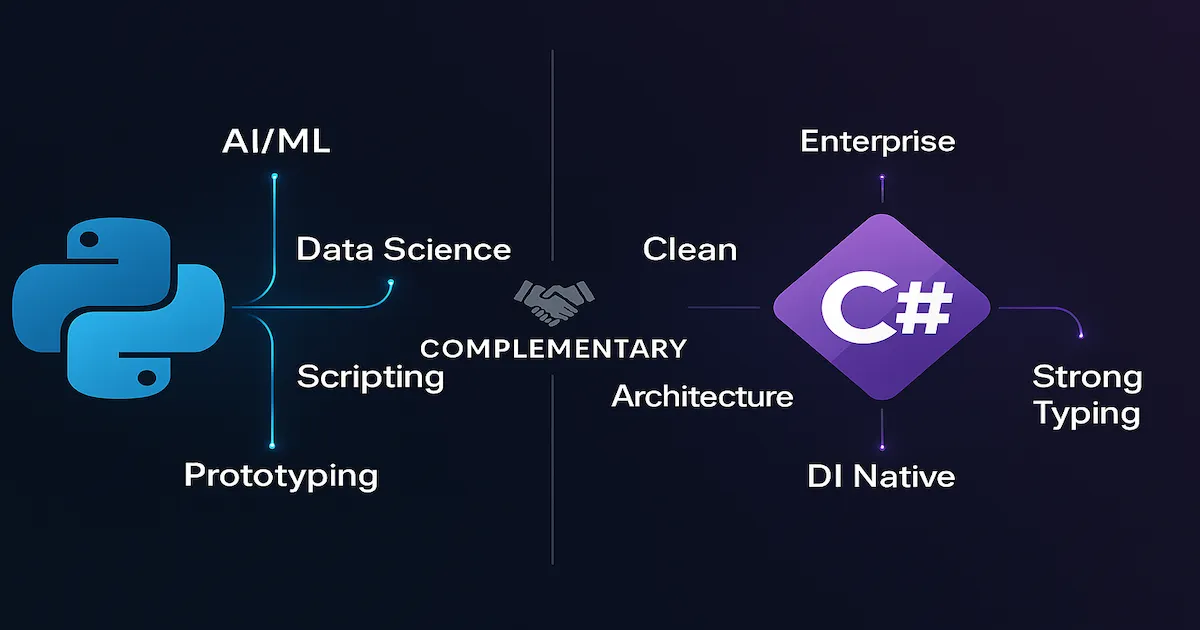
This is the question that motivated half of this article: when the application needs to be modular, with architectural patterns such as Clean Architecture, CQRS or Hexagonal — is it worth using Python instead of C#? Is there a real gain?
The honest answer is: it depends on what you call a “gain”.
Full comparison
| Dimension | Python | C# |
|---|---|---|
| Typing | Dynamic (with optional hints via mypy, Pydantic) | Strong static typing (guaranteed by the compiler) |
| Compilation | Interpreted — errors appear at runtime | Compiled — errors appear before deployment |
| Dependency Injection | Third-party: dependency-injector, python-inject, manual | Native in the framework (IServiceCollection) |
| Interfaces / Contracts | ABC (Abstract Base Class) — not strong enforcement | interface — a real contract, verified by the compiler |
| Architectural Patterns | Possible, but requires manual discipline. No opinionated framework for Clean Architecture | Mature ecosystem: MediatR (CQRS), Clean Architecture templates, Minimal APIs |
| ORM | SQLAlchemy, Django ORM, Tortoise | Entity Framework Core — superior in migrations, Fluent API and integration |
| Tests | pytest (excellent, mature) | xUnit, NUnit, MSTest (all mature) |
| Performance | The GIL limits real parallelism (improving with 3.13+), I/O-bound work is good with asyncio | Real parallelism, Tasks, mature async/await, high performance |
| Tooling / IDE | PyCharm, VS Code (good, but refactoring is limited by dynamic typing) | Visual Studio, Rider, VS Code (robust refactoring with static typing) |
| Enterprise Ecosystem | Azure SDK, AWS SDK — functional, but less integrated | Native Azure, integrated Microsoft tools, complete enterprise ecosystem |
| Modularity | Python modules and packages are flexible, but boundaries are not enforced | Assemblies, namespaces, separate projects with explicit references |
| Documentation / API | Swagger via FastAPI (automatic), Sphinx | Native Swagger, XML docs, source generators |
Python for architectural applications: possible, but…
Yes, you can implement Clean Architecture, Hexagonal, CQRS and any pattern in Python. Frameworks such as Django (opinionated, MTV) and FastAPI (modern, async, Pydantic) offer solid foundations. There are libraries for dependency injection, type validation and layer separation.
However, there are fundamental differences in the development experience:
| |
| |
The difference is not just syntax — it is philosophy:
- In C#, DI is part of the framework. You do not need to choose a library, configure wiring or decorate methods. It works out of the box
- In Python, DI is a third-party library. It works, but it adds complexity, requires configuration and has no native framework support
This difference repeats itself in almost every pattern:
| Pattern | In C# | In Python |
|---|---|---|
| Interfaces | interface IService — a strong contract, verified at compile time | class IService(ABC) — a convention, not real enforcement |
| Repository | A mature pattern with EF Core, typed generics | Implementable, but without strong type safety |
| CQRS | MediatR (an established library), clear separation | Manual implementation, no dominant library |
| Mediator | MediatR | No consolidated equivalent |
| Options Pattern | Native IOptions<T> | Manual configuration or Pydantic Settings |
Where Python wins — no contest
There are domains where Python simply has no real competitor:
- AI and Machine Learning: TensorFlow, PyTorch, Hugging Face — the entire ecosystem is Python-first
- Data science: Pandas, NumPy, Jupyter — C# does not even enter the conversation
- Rapid prototyping: from zero to a working API in minutes with FastAPI
- Scripts and automation: replacing Bash, processing files, interacting with APIs
- DevOps: Ansible, infrastructure scripts, CLI tools
Where C# wins — when complexity matters
For applications that require long-term maintenance by large teams, with rigorous architectural patterns, C# (and, more broadly, .NET) offers real advantages:
- Safe refactoring: strong static typing lets you rename, extract and move code with confidence
- The compiler as a gatekeeper: type errors, unimplemented interfaces and missing dependencies are detected before any code runs
- Native DI and middleware: the ASP.NET Core pipeline is mature, testable and extensible
- Enforced boundaries: separate assemblies and projects create real architectural boundaries, not just conventions
- Enterprise ecosystem: native integration with Azure, SQL Server, Identity and the entire Microsoft ecosystem
The verdict
📌 Python and C# are not competitors — they are complementary.
| Scenario | Recommended language |
|---|---|
| AI, ML, Deep Learning | Python |
| Data science, analytics | Python |
| Scripts, automation, DevOps | Python |
| Rapid API prototyping | Python (FastAPI) |
| Enterprise applications with rigorous patterns | C# (.NET) |
| Clean Architecture, Hexagonal, CQRS | C# (more mature ecosystem) |
| Applications with large teams and long maintenance | C# (static typing = safety) |
| High-performance APIs with intensive I/O | C# (mature async/await, Kestrel) |
| Microservices with complex orchestration | Both (depends on the company’s ecosystem) |
The right question is not “Python or C#?” — it is “what problem am I solving?”
If the problem is AI, data or prototyping: Python, without a second thought.
If the problem is a modular application, with layers, patterns and a team that needs safe refactoring two years from now: C# will give you fewer headaches.
And what if the problem requires both? Use both. An AI microservice in Python, orchestration and the main API in C# — that is not heresy, it is pragmatism.
Important Considerations
UV Is Still Pre-1.0
UV is at version 0.6.x (March 2026). Although it is stable for production use and adopted by thousands of projects, the pre-1.0 version means that breaking changes may happen between minor releases. Astral mitigates this with detailed changelogs and assisted migration, but it is a point to consider before adopting it in conservative corporate environments. Follow the releases on GitHub to know when 1.0 arrives.
pyproject.toml as the Source of Truth
UV adopts pyproject.toml following PEPs 517, 518 and 621 — Python’s official standards for project metadata. This means your UV project is not locked into UV: any tool compatible with these PEPs (including pip and poetry) can read and use your pyproject.toml. If you ever need to migrate, the exit path is guaranteed.
UV and Docker
For projects that run in containers, UV shines especially at the build stage. An optimized Dockerfile with UV:
| |
The gain in build time is huge — especially in CI/CD pipelines where every second of execution has a real cost.
UV vs Cargo vs dotnet CLI
If you come from Rust or .NET, you will notice that UV follows the same unified CLI philosophy:
| Aspect | UV (Python) | Cargo (Rust) | dotnet CLI (C#) |
|---|---|---|---|
| Create a project | uv init | cargo new | dotnet new |
| Add a dependency | uv add | cargo add | dotnet add package |
| Run | uv run | cargo run | dotnet run |
| Lockfile | uv.lock | Cargo.lock | packages.lock.json |
| Build | — (interpreted) | cargo build | dotnet build |
| Tests | uv run pytest | cargo test | dotnet test |
UV is, for Python, what cargo is for Rust: the tool the community waited decades for.
On Adoption and Community
Numbers that show UV’s traction:
- 40,000+ stars on GitHub (March 2026)
- Adopted by FastAPI as the recommended package manager in its official documentation
- Integrated into GitHub Actions as an official option for setting up Python
- Officially supported in VS Code and PyCharm
- Weekly releases with detailed changelogs and strict semver
When to Migrate and When to Wait
If you are on a project with plain pip and feel the pain of slowness and the lack of a lockfile: migrate now. The cost is low — uv pip install -r requirements.txt works as a drop-in replacement for pip.
If you are on Poetry and the workflow works without pain: evaluate calmly. The migration is worth it, but it is not urgent if the project is already stable.
If your company requires audited and versioned tools (1.0+): wait for UV 1.0. But keep a close eye on it — it is near.
Conclusion
UV is, without exaggeration, the biggest advance in Python tooling in recent years. It solves a problem the community had been dragging along for more than a decade — the absurd fragmentation of tools for something that should be simple: installing packages, creating an environment and running code.
With UV, you have one tool that replaces pip, virtualenv, pyenv, pip-tools, pipx and part of Poetry. Written in Rust, with absurd speed and adherence to PEP standards. If you are starting a new Python project, there is no reason not to use UV.
As for the comparison with C#: Python is an extraordinary language for prototyping, AI, data and automation. But when the conversation is about complex enterprise applications with rigorous architectural patterns and long-term maintenance, C# (and .NET) offers structural advantages that are hard to ignore — strong static typing, native DI, the compiler as a gatekeeper, and superior refactoring tooling.
The maturity of a technical choice lies in recognizing that there is no perfect language for everything. There is the right language for the right problem. And having UV in the arsenal makes Python significantly more viable for serious projects — because the part that was always bad (package management) has finally become excellent.
References
- UV — Official Documentation
- Astral — The company behind UV and Ruff
- Python.org — Official Python website
- Python Software Foundation (PSF)
- PEP 20 — The Zen of Python
- Ruff — Python linter written in Rust
- TIOBE Index
- Makefile: Automating tasks for Python, Hugo and Docker — related article on this blog
- Software Architecture: GoF, Patterns and Microservices — related article on this blog
By commenting, you agree to our Privacy Policy, Terms of Use, Data Deletion Policy.