
Introduction
DDoS (Distributed Denial of Service) attacks can take your application down in seconds. I have been through it: a coordinated attack consumed memory, froze the proxy and left the infrastructure unavailable. The difference between losing SSH access and recovering in minutes lies in 6 specific prevention measures that I show in this article.
This tutorial covers the techniques I have proven in production: from configuring Cloudflare correctly to tuning the Linux kernel to withstand millions of requests. You will learn how to implement each of them with practical examples, without vague theory.
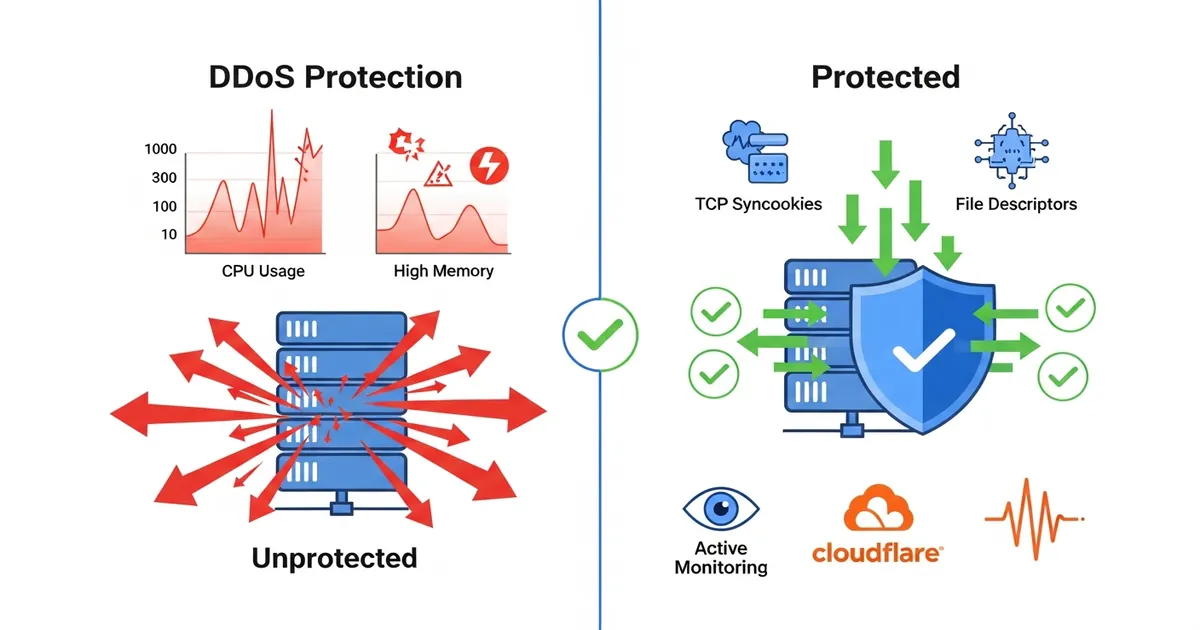
⚠️ Warning: This article is based on a real DDoS incident. The measures described here are preventive. If you are under active attack, use this checklist in parallel with support from your CDN provider (Cloudflare, Akamai, etc.).
Prerequisites
To implement the measures in this article, you need:
- Root or sudo access to the VPS/server
- Docker and Docker Compose installed
- Basic Linux knowledge (editing files, kernel commands)
- A Cloudflare account configured as reverse proxy/CDN
- A reverse proxy in production (Traefik, Nginx, HAProxy)
- Monitoring tools (Prometheus, Grafana, or similar)
If you don’t have a reverse proxy in production yet, start with Traefik em Docker (Portuguese) or Nginx.
1. Disable Proxy Auto-Update in Production
New proxy versions (Traefik, Nginx) can contain bugs that only show up under high load. I learned it the hard way: an automatic Traefik update to a minor version introduced a memory leak that tripled RAM consumption during an attack.
The problem: if the proxy goes down under DDoS, the attacker has already won.
Implementation in Docker Compose
Freeze your proxy version and review updates manually before applying them:
| |
Safe Update Process
- Review the changelog before updating
- Test in staging with real traffic
- Apply during low-traffic hours
- Have a rollback ready:
docker-compose upwith the previous image
| |
ℹ️ Info: Traefik v3.0.0 to v3.2.x received security patches. If you are on v2.10.x, update only if you have tested in staging. Old versions have CVEs, but rushed updates under attack cause failures.
2. Enable “Under Attack Mode” on Cloudflare
Cloudflare offers a mode specifically for DDoS: Under Attack Mode. It raises the challenge level (CAPTCHAs, browser validation) to block bots while letting legitimate users through.
Manual Configuration in the Cloudflare Dashboard
Follow these steps in the Cloudflare dashboard:
- Log in to the Cloudflare dashboard
- Select the site you want to configure
- Click Security in the side menu
- Click DDoS Protection
- Find the Managed DDoS Protection section
- Click Configure next to Under Attack Mode
The transition is immediate. Legitimate users get a 5-10 second challenge; automated bots tend to be blocked.
If “Under Attack” Does Not Appear in Your Dashboard
On some plans/accounts, the toggle may not be visible in the expected place. In that case, apply a temporary global challenge:
- Go to Security → WAF → Custom Rules
- Create a rule with the expression
true - Set the action to Managed Challenge (or JS Challenge, if you prefer)
- Place the rule at the top and publish it
This is not identical to “Under Attack”, but it delivers fast mitigation during an incident, with a similar effect in blocking massive automated traffic.
Automation: Enable via API
If you want to enable the mode automatically when anomalies are detected, use the Cloudflare API:
| |
Integration with Monitoring
Automatic trigger when the request rate exceeds 10,000/min:
| |
ℹ️ Info: “Under Attack Mode” blocks ~80% of automated bots, reducing security false positives. The cost is extra latency for legitimate users (5-10s), acceptable in a crisis.
3. Change the Server’s Real IP Address
If the attacker discovered your VPS’s real IP (through historical DNS records, whois, or social engineering), they can bypass Cloudflare and attack directly.
Scenario: the attacker runs WHOIS on the domain, finds an old IP, and sends requests straight to it, bypassing Cloudflare.
Steps to Change the IP
Reserve a new IP with your VPS provider
- On Hetzner, DigitalOcean, or Hostinger, this is free and takes 5 minutes
- You can have multiple IPs per VPS
Configure the new IP on the server
| |
Example of /etc/netplan/01-netcfg.yaml:
| |
Update DNS to point to the new IP only within your internal infrastructure
- Cloudflare keeps pointing to the previous IP (or to one you control)
- Internal DNS points to the new IP
- Change /etc/hosts on internal servers if needed
Keep the old IP “trapped” in Cloudflare, pointing to a generic block
| |
Validate the IP Change
| |
⚠️ Warning: Changing the IP is disruptive. Have a rollback plan. If you use HTTPS pinning or IP-specific certificates, update them as well.
4. Configure File Descriptor Limits in Docker and Podman
Every open TCP connection consumes a file descriptor (FD). Under DDoS, thousands of connections stay pending, exhausting the system quota and freezing the application.
Symptom: “Too many open files” or SSH timeouts during an attack.
Understanding File Descriptors
| |
Configuration in Docker Compose
| |
If you use Nginx instead of Traefik, the configuration looks like this:
| |
Configuration in Podman
In Podman, you can apply the same limit with --ulimit:
| |
If you use podman-compose, keep the ulimits key in the YAML, just like in Docker Compose.
Raise It Globally on the Host
If multiple containers need high limits:
| |
Stress Test
Simulate pending connections to validate the limit:
| |
ℹ️ Info: A limit of 65,000 file descriptors allows ~60,000 simultaneous connections (accounting for FDs used by logs, internal sockets, etc.). In practice, set it to 80-90% of the hard limit.
5. Enable TCP Cookies in the Kernel
TCP SYN Flood is a simple attack: the attacker sends SYN packets (the start of a TCP connection) without answering the SYN-ACK, causing the server to allocate memory for incomplete connections (SYN backlog).
TCP Syncookies solves this without accepting the connection: the server encodes information in the SYN-ACK so that memory is only allocated AFTER the client is validated.
Enable It on Linux
| |
Complementary Settings (kernel hardening)
While you are at it, enable other protections:
| |
Validate the Configuration
| |
📝 Example: In a typical DDoS with 500,000 SYN/second, without syncookies the server allocates 5 GB of memory in seconds. With syncookies enabled, consumption stays < 100 MB.
6. Implement Proper Monitoring with Alerts
Monitoring is prevention. If you detect anomalies (request spikes, abnormal memory consumption) within 1 minute, you can activate defenses before losing SSH.
Critical Metrics for DDoS
Monitor these 5 metrics with real-time alerts:
| Metric | Alert | Action |
|---|---|---|
| Request rate/min | > 10,000 | Enable Under Attack Mode |
| Pending TCP connections | > 50,000 | Increase tcp_max_syn_backlog |
| Memory consumption (proxy) | > 80% | Restart container, enable Under Attack |
| Accumulated processes (zombie) | > 100 | Investigate leak, restart app |
| P99 latency | > 5s | Sign of a bottleneck or slow attack |
Configuration with Prometheus + Alertmanager
| |
Simple Monitoring Script (without Prometheus)
If you don’t have a monitoring stack installed, use this bash script:
| |
Run it in the background:
| |
📝 Example: A client of mine detected a DDoS in 2 minutes thanks to alerts. They enabled Under Attack Mode and increased file descriptors. The site stayed online with acceptable latency. Without alerts, the downtime would have lasted hours.
7. Practical Example: Complete Production Configuration
Here is a complete Docker Compose configuration with all measures applied:
| |
The traefik-config.yaml file:
| |
If you use Nginx instead of Traefik, here is an equivalent production example:
| |
The nginx/nginx.conf file (baseline for high connection volume):
| |
Tips and Good Practices
1. Rate Limiting on Cloudflare: Set a limit of 100 requests/IP/minute. This automatically blocks aggressive bots before they reach your server.
2. Keep Traffic Logs: Archive access logs in JSON for post-attack analysis. Identify patterns (source IP, target endpoint, user-agent) to refine future rules.
3. Test Your Defenses Regularly: Once a month, simulate a light DDoS (with a tool like
locustorab) and validate that alerts work. Finding gaps in production is expensive.4. Geographic Redundancy: If possible, distribute your app across multiple datacenters. A single DDoS won’t take everything down. Cloudflare offers geographic load balancing.
5. Communication with Your Provider: If you hire premium support (Cloudflare Pro/Business), tell them about your mitigation plan. They can enable extra protections faster.
Objective Summary
TCP Syncookies — enable it in the kernel with
sysctl net.ipv4.tcp_syncookies=1to block SYN Flood without allocating memory indiscriminately.File Descriptors in Docker — set
ulimits.nofile.soft: 65000indocker-compose.ymlto accept up to 60,000 simultaneous connections during an attack.Under Attack Mode (Cloudflare) — enable it manually under Security → Overview or via API to force CAPTCHAs on bots, blocking ~80% of malicious traffic.
Pinned Proxy Version — use
image: traefik:v3.0.0instead oflatestto prevent bugs introduced by automatic updates from taking the application down under load.New IP Address — add a secondary IP to the VPS and use it exclusively internally, leaving the old one “trapped” in Cloudflare to isolate it from the attacker.
Monitoring with Alerts — track request rate, TCP connections, memory and processes with Prometheus or a simple bash script; the critical threshold is > 10,000 req/min or > 50,000 TCP connections.
Read Also
- Traefik em Docker: HTTPS, Segurança e Configuração (Portuguese) — complements this article with a detailed reverse proxy setup
- SPA Security: BFF and API Gateway — protect your web application beyond the infrastructure
- Keycloak: Free Authentication with Containers and C# — add robust authentication to validate legitimate users
References
- Cloudflare Under Attack Mode — Official Documentation — complete guide to the attack mode
- TCP Syncookies — Linux Kernel Documentation — RFC 4987 and the kernel implementation
- OWASP: DDoS Prevention Cheat Sheet — security best practices
- Traefik v3 Official Documentation — complete configuration reference
- Docker: Resource Limits and Reservations — ulimits documentation in Docker Compose
- Linux sysctl Reference — file descriptors and TCP tuning — kernel tuning for web servers
By commenting, you agree to our Privacy Policy, Terms of Use, Data Deletion Policy.