Introduction
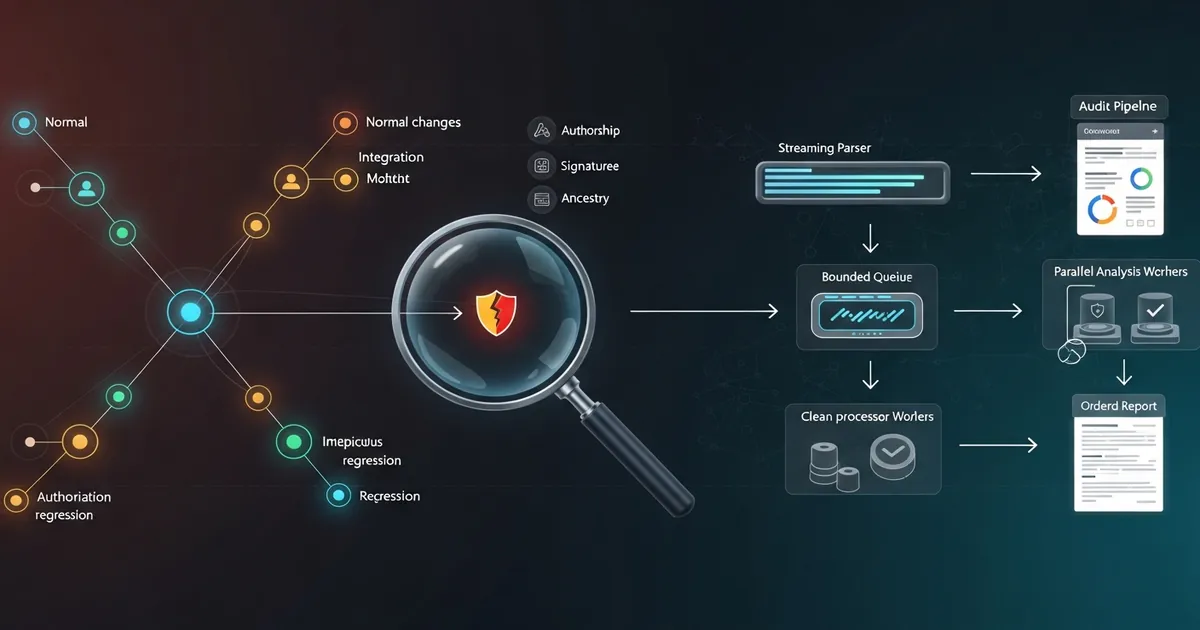
Using Git history for debugging and auditing means treating the repository as a queryable graph of evidence, not as a list of messages sorted by date. To debug a regression, history lets you locate when a behavior changed, which revisions carried the change to the main branch and which minimum range needs to be tested. To audit, it provides declared authorship, signature, trailers, changed paths, churn volume and ancestry relationships that can be correlated with code review, CI/CD and platform logs.
The practical answer is to combine queries with different semantics. git log -S and -G find changes; git blame explains the origin of surviving lines; git bisect automates the search for the first bad revision; git reflog recovers lost local references; and the merge topology shows how a change reached integration. No single command reconstructs the whole incident. The value appears when each tool answers a precise question and its limitations are recorded.
Imagine a fictional incident in a corporate monorepo: the CanApproveInvoice rule stopped requiring the finance:approve permission. The method was refactored, moved from AuthorizationService.cs to InvoicePolicy.cs, went through a maintenance branch and reached main inside a merge with dozens of commits. The alert came three weeks later, when the author date no longer represented the order in which the change reached production.
I will investigate this case interactively and then turn the investigation into an analyzer for high volume. The complete example uses .NET 10, a single git log process, incremental NUL-delimited parsing, a bounded Channel<T>, parallel consumers, cancellation and deterministic JSON. The fixture processes 500,000 commit-file records and compares sequential execution, Parallel.ForEachAsync and a producer-consumer pipeline without promising that parallelism always wins.
Prerequisites
You need a recent Git, the .NET 10 SDK and PowerShell or Bash. The commands assume familiarity with processes, asynchronous programming and the idea of a directed acyclic graph: a commit points to one or more parents, never to a descendant.
Use a clone with full history. A shallow clone created with --depth does not contain all ancestors; a partial clone may require remote objects during analysis. Before concluding that a revision does not exist, check git rev-parse --is-shallow-repository and document the clone filters.
It is also important to separate two activities. Interactive investigation accepts specialized commands and human inspection. Recurring auditing needs a stable machine format, memory limits, recorded parameters and explicit failure when Git does not deliver complete output.
Git History Is a Graph, Not a Timeline
A commit contains a tree, metadata and references to its parents. A ref, such as refs/heads/main, points to a commit; HEAD points to a ref or directly to a commit in the detached state. A merge usually has two or more parents. Therefore, two revisions with close dates may belong to independent lines of development.
The author date records when the work was originally created. The committer date records when that object was written, including after a rebase or a cherry-pick. Sorting by either date helps human reading, but it does not prove causality. For that, check ancestry and parents.
| Query | Semantics | Use in the investigation |
|---|---|---|
A..B | commits reachable from B, excluding those reachable from A | changes present in one branch and absent in the other |
A...B | symmetric difference between both sides | exclusive work of each branch since the merge-base |
--first-parent | follows only the first parent of merges | view of integrations on the main branch |
--ancestry-path A..B | keeps commits on the ancestry path between the ends | prove through which chain a change reached a release |
--topo-order | avoids showing a parent before its descendants | coherent reading of the graph without relying only on dates |
In the incident, I start by comparing the maintenance branch and the release:
| |
--first-parent answers “which integration appeared on main?”, not “which internal commit created the line?”. This distinction avoids blaming the automatic merge when the causal change was born days earlier in another branch.
Pickaxe, Blame and Function History Locate the Change
Git calls Pickaxe the filters that search for changes in patch content. -S<string> selects commits in which the number of occurrences of the string changed. If finance:approve was removed, this is the first cut:
| |
-G<regex> has different semantics: it selects commits whose patch contains an added or removed line matching the regular expression. It is useful when the net count of the string does not change, for example, when a call is removed from one place and added to another in the same commit.
| |
git log -L tracks the evolution of a range or function in a file. It works best after the path and signature have been narrowed down. To understand the current lines, I use git blame -w -M -C: -w ignores whitespace, -M detects moves within the file and -C looks for copies or moves from other files.
💡 Tip:
-Sfinds changes in the number of occurrences of a string, while-Gfinds patch lines by regex. A move that removes and adds the same string may escape-Sand show up in-G.
Formatting commits can be excluded from attribution with a versioned file and git config blame.ignoreRevsFile .git-blame-ignore-revs. This improves the signal, but the file should contain only reviewed mechanical revisions. git blame does not show removed lines; for those, go back to Pickaxe, the diff or the file log.
Git Bisect Automates the Regression Hunt
After finding a good state and a bad state, git bisect picks intermediate revisions to reduce the search space. In a roughly linear history with 1,024 candidates, binary search requires about ten decisions, instead of running up to 1,024 tests sequentially.
I create an automated test that fails when a user without finance:approve can approve, and run:
| |
The program called by git bisect run must return 0 for good and 1 to 127 for bad, except 125. Code 125 means “untestable” and tells Git to skip that revision. This is necessary when old commits depend on removed SDKs, incompatible fixtures or missing files.
| |
📝 Example: a historical compilation error does not prove that the regression already existed. Returning
125preserves the semantics of the bisection and avoids classifying as bad a commit that simply cannot be tested in the current environment.
When the goal is to find the merge that introduced the failure into the main branch, git bisect start --first-parent can produce a better operational answer. Then, a second bisection inside the integrated branch finds the causal commit. The result depends on the predicate being deterministic; a flaky test produces false boundaries.
Reflog and Merge Topology Reconstruct the Incident
If someone ran reset, a rebase or moved a branch, git reflog records local ref updates. git reflog show HEAD and git show HEAD@{3} can recover the previous point, while git branch recuperacao HEAD@{3} creates a ref before the object becomes unreachable.
Reflog is not shared history. It is local, has expiration policies and may not exist in the clone used by the audit. A force push can also remove commits from the central view without removing them immediately from every clone. That is why reflog is excellent for recovery and workstation investigation, but weak as permanent compliance evidence.
To understand merges, the default simplification of git log may omit commits that do not change the final result of a path. Three options help:
--full-historytraverses all relevant parents and avoids excessive simplification;--show-pullsincludes merges that brought to the first parent a change that existed in another parent;--simplify-mergesremoves redundant merges after rewriting the topology.
--simplify-merges may need to traverse the whole history before emitting results. In large repositories, start with a range, a path or --first-parent; widen only when the question requires it. For the incident, --show-pulls --ancestry-path identifies the merge that took the changed policy to the release without confusing integration with authorship.
⚠️ Warning: local reflog, unsigned commits and rewritable history do not constitute an immutable trail on their own. Preserve platform logs, pull request events, CI/CD runs and retention policies outside Git.
Safe Extraction of Hundreds of Thousands of Records
Running one Git process per commit or file multiplies startup cost and opens room for inconsistency between queries. The analyzer starts a single git log --numstat -z with a custom format. Each commit field ends in NUL (%x00), and --numstat -z preserves paths without relying on per-line escaping.
| |
📂 Source Code: The complete example is available in the blog’s samples repository:
BlogSamples/AsyncParallel/GitHistoryAnalysis/
The parser consumes StandardOutput.BaseStream incrementally. It does not use ReadToEndAsync for stdout and does not materialize all records. stderr is drained in parallel to avoid deadlock, and the exit code is validated before accepting the report. On cancellation, the process tree is terminated.
The object ID is opaque text. I do not assume SHA-1 with 40 characters, because repositories may use SHA-256. Renames in --numstat -z have a record with an empty path followed by the old and new paths in separate tokens. Binary files use - for additions and deletions. Paths may contain spaces, tabs or line breaks; only NUL is not allowed by Git’s path model.
A Bounded Channel Applies Backpressure to the .NET 10 Pipeline
The producer needs to read and interpret Git’s sequence in order. Independent, CPU-bound analyses can be distributed. A bounded Channel<FileChangeRecord> separates these responsibilities without letting a fast producer consume memory indefinitely.
| |
ℹ️ Info:
BoundedChannelFullMode.Waitsuspends writing when the channel reaches capacity. This backpressure limits items in transit and does not discard evidence, unlike theDropNewest,DropOldestandDropWritemodes.
Each worker keeps local counters, dictionaries and findings. At the end, the aggregator combines these states and sorts authors, directories and findings with ordinal comparers. This approach reduces contention on concurrent collections and guarantees deterministic output even when the distribution among workers changes.
The same CancellationToken reaches the process, parser, producer and consumers. If a rule throws an exception, a linked source cancels the producer; the writer is completed with the failure and no worker waits indefinitely. Tests cover a channel with capacity 1, completion with an exception, flow cancellation and equivalence between one and four consumers.
Audit Rules and Hotspot Detection
The analyzer demonstrates independent rules for signature, trailers, sensitive paths and churn. %G? returns the signature status: G indicates a valid signature from a trusted key and U, a valid signature from a key with unknown trust. The organization’s policy must decide which statuses it accepts; a valid signature authenticates a key, it does not guarantee the change was correct.
Identity normalization should happen with .mailmap. It consolidates name and email variations in the options that respect mailmap, such as %aN and %aE, and reduces false multiple authors. Even so, author and committer are declared fields; associate them with verified signatures and platform identity when the requirement is strong.
Trailers such as Reviewed-by: or a ticket identifier may signal adherence to the process. They do not prove review by themselves, because any author can write a trailer. Robust evidence correlates the trailer with an approval recorded on the pull request and with the reviewer’s authenticated identity.
Sensitive paths include workflows, permissions, manifests, production configurations and authorization rules. High churn or many changed files help prioritize review, but they do not mean fraud. Other useful indicators are directories with a high change frequency, correlation between changes and failures, concentrated authorship in critical components and commits outside the window or the --ancestry-path expected for a release.
Performance: Sequential, Parallel.ForEachAsync and Channel
The deterministic fixture generates 500,000 commit-file records distributed among 32 authors, 64 components and 2,048 file names. The three strategies run the same CPU-bound function and produce the same checksum. The test records time, throughput, bytes allocated by the runtime and the process’s approximate PeakWorkingSet64.
In a local Debug run with .NET 10.0.8, the results were:
| Strategy | Time | Throughput | Allocations | Approximate peak |
|---|---|---|---|---|
| Sequential | 480 ms | 1,040,887 records/s | 238.6 MiB | 70.8 MiB |
Parallel.ForEachAsync | 759 ms | 658,332 records/s | 264.1 MiB | 72.2 MiB |
Bounded Channel<T> | 1,041 ms | 480,327 records/s | 364.8 MiB | 75.4 MiB |
The result is not a universal ranking. The synthetic per-record analysis is cheap; coordination, Interlocked, tasks and the channel cost more than the distributed work. Cryptographic rules, heavy parsing or CPU-bound correlations may change the break-even point. Run in Release, warm up, repeat samples and record hardware, SDK and configuration before making a decision.
Also separate the stages. The time of git log, parsing and analysis have different bottlenecks. Parallelizing consumers does not speed up Git’s graph traversal. Varying MaxDegreeOfParallelism and the channel capacity shows when there is saturation; increasing both indiscriminately tends to raise allocation and contention.
For recurring queries by path, keep the commit-graph updated with git commit-graph write --reachable --changed-paths. Changed-path Bloom filters let Git discard commits that probably did not touch the queried path. They help filters by file or directory, but they do not replace measurement on the real repository.
Limits of a Git-Based Audit
History rewriting creates new object IDs; rebase and filter-repo can change or remove the shared view. Force push moves refs and can make commits unreachable. Reflogs expire and are not centralized. Shallow and partial clones can hide ancestors or objects not yet materialized.
Authorship and dates also require caution. The fields can be set by the client, and the author date does not necessarily represent entry into the main branch. Signatures help verify the authenticity and integrity of the object, but they depend on key management, trust and verification policies.
An auditable report should record at least: observed refs, revision range, Git version, UTC time, clone state and the hash of the rules configuration. Also preserve the raw output or a verifiable derived artifact. For compliance, combine Git with immutable retention, branch protection, administration logs, pull requests, corporate identity, CI/CD and signed artifacts.
Practical Example: GitHistoryAnalyzer
The facade receives a path, a range and rules. It starts the process, delivers records to the pipeline and produces a contextualized report. The caller controls concurrency and capacity without exposing parser details.
| |
📂 Source Code: The complete example is available in the blog’s samples repository:
BlogSamples/AsyncParallel/GitHistoryAnalysis/
The example includes a parser for renames and binaries, independent rules, a fixture, a performance comparison and xUnit tests. The JSON sorts maps and findings so that two runs over the same input and context produce stable content. The analysis time is part of the context; for byte-by-byte comparison, pin it or compare only the results section.
Tips and Good Practices
Prefer machine-oriented formats and NUL. Visual
git logoutput changes with configuration, locale and escaping.%x00fields and--numstat -zpreserve boundaries even when paths contain spaces, tabs or line breaks.Use
.mailmapfor canonical identities. Historical names and emails vary by machine and era. Normalize before calculating authorship concentration, but do not confuse canonicalization with verified identity.Bound the channel to control memory. Finite capacity turns consumption pressure into producer waiting. Choose the value by measuring throughput and memory; a huge buffer only postpones saturation.
Measure before increasing parallelism. In the 500,000-record fixture, sequential won because the unit of work was cheap. Parallelism only pays off when the distributable cost exceeds coordination, scheduling and contention.
Validate the exit code and drain
stderr. Reading only stdout can block the process when the error buffer fills. A partial report must never be presented as a completed audit.Preserve raw data and parameters. Record refs, range, Git version, time, clone and rules hash. This data makes it possible to explain why two runs observed different universes.
Maintain the commit-graph in large repositories.
git commit-graph write --reachable --changed-pathsprepares generation numbers and Bloom filters to speed up traversal and path filters. Confirm the benefit with representative queries.Cross-check Git with external systems. CI/CD, code review, administrative logs and platform identity answer questions that Git objects cannot. The correlation is stronger than any trailer or isolated authorship field.
Objective Summary
- Git Pickaxe —
git log -Sselects commits in which the count of a string changed;git log -Gselects patches whose added or removed lines match a regex. - Git Bisect —
git bisect runuses code0for good,1–127except125for bad and125for an untestable revision, reducing regression search in a roughly logarithmic way. - Git Reflog — reflogs record local ref movements and help recover commits after a reset or rebase, but they expire and do not form centralized evidence.
Channel<T>— a bounded channel withBoundedChannelFullMode.Waitsuspends the producer when the buffer fills, preserving records and limiting items in transit.- Backpressure — backpressure controls the speed difference between producer and consumers; it improves memory predictability, it does not guarantee higher throughput.
- Commit-Graph — a commit-graph with changed-path Bloom filters can speed up queries by file or directory by discarding probably irrelevant commits.
- Git signatures — a valid signature authenticates the key that signed the object, but it does not replace review, branch protection, immutable retention or identity management.
- Git auditing — a reproducible report records refs, range, Git version, time, configuration and clone limitations, in addition to correlating evidence with CI/CD and the platform.
Read Also
- Parallelism in C#: Parallel, PLINQ and Tasks in Practice
- .NET Worker and Background Service: High Volume
- Logs Without Context Are Noise: Structured Logging in .NET 8
- Secure CI/CD: Dependabot, SAST and DAST on GitHub
References
- git-log — filters, formats, Pickaxe, ranges, ordering and history simplification.
- git-rev-list — graph traversal, commit sets, bitmaps and bisection support.
- git-bisect — automated binary search, exit codes and
--first-parentmode. - git-blame — line attribution, detection of moves, copies and ignored revisions.
- git-reflog — local history of reference updates and expiration policies.
- git-cat-file — batch object queries and NUL-delimited formats.
- git-commit-graph — commit-graph generation and Bloom filters for changed paths.
- Channels in .NET — bounded channels, producer-consumer and backpressure modes.
- Parallel.ForEachAsync — asynchronous processing with bounded parallelism in .NET.
By commenting, you agree to our Privacy Policy, Terms of Use, Data Deletion Policy.