Introduction#
Vulnerabilities do not show up only in infrastructure. They come from insecure code, outdated dependencies and badly configured containers. While you defend against DDoS, vulnerable applications can be exploited directly by attackers.
In this article, you will learn how to implement 5 layers of automated security in your CI/CD pipeline using free GitHub tools and open source services. Each one detects a different type of risk: vulnerable dependencies, insecure code, logic flaws and compromised container images.
The best part: everything works at no additional cost if you use GitHub Public, and there are free options for private repos.
⚠️ Warning: These tools detect and alert about problems, but they do not fix everything automatically. You still need to review and approve each fix. Security is a continuous process, not a checkbox.
Prerequisites#
To implement the measures in this article, you need:
- A GitHub repository (public or private)
- GitHub Actions enabled (default in new repos)
- Basic knowledge of YAML (GitHub Actions workflows)
- An application in Docker or C#/.NET code (the examples are specific, but the concepts apply to any language)
- A SonarCloud account (free for public and private repos)
Private repos on the GitHub Pro/Team plan have access to some free security tools. Public repos get everything for free.
1. Dependabot: Detect Vulnerable Dependencies#
Dependabot is the first line of defense. It automatically checks your dependencies against databases of known vulnerabilities (CVE) and opens pull requests with security updates.
Real example: A package you have been using for 6 months discovers a critical flaw. Dependabot opens a PR automatically within hours. You review, test and merge.
Enable Dependabot on GitHub#
- Go to Settings → Code security and analysis
- Enable Dependabot alerts and Dependabot security updates
- Done — Dependabot is already monitoring
Advanced Configuration: dependabot.yml#
To control update frequency and PR grouping, create .github/dependabot.yml:
 1
 2
 3
 4
 5
 6
 7
 8
 9
10
11
12
13
14
15
16
17
18
19
20
21
22
23
24
25
26
27
28
29
30
31
32
33
34
35
36
37
38
39
40
41
42
43
44
45
| version: 2
updates:
# .NET dependencies (NuGet)
- package-ecosystem: "nuget"
directory: "/"
schedule:
interval: "weekly"
day: "monday"
time: "03:00"
allow:
- dependency-type: "all"
pull-request-branch-name:
separator: "/"
reviewers:
- "seu-usuario"
assignees:
- "seu-usuario"
open-pull-requests-limit: 10 # Maximum of 10 PRs open at the same time
# Docker images
- package-ecosystem: "docker"
directory: "/"
schedule:
interval: "weekly"
day: "monday"
time: "04:00"
open-pull-requests-limit: 5
# GitHub Actions
- package-ecosystem: "github-actions"
directory: "/"
schedule:
interval: "weekly"
day: "monday"
time: "05:00"
# Python (if applicable)
- package-ecosystem: "pip"
directory: "/"
schedule:
interval: "weekly"
day: "monday"
time: "03:00"
allow:
- dependency-type: "direct" # Direct dependencies only, not transitive
|
Automation: Auto-merge of Safe Updates#
- A SonarCloud account (free for public and private repos)
If you want Dependabot to automatically merge certain updates (patch versions, for example):
 1
 2
 3
 4
 5
 6
 7
 8
 9
10
11
12
13
14
15
16
17
18
19
20
| name: Auto-merge Dependabot updates
on: pull_request
jobs:
auto-merge:
if: github.actor == 'dependabot[bot]'
runs-on: ubuntu-latest
permissions:
pull-requests: write
contents: write
steps:
- uses: actions/checkout@v4
- name: Enable auto-merge para patches de segurança
run: |
gh pr merge --auto --squash "${{ github.event.pull_request.number }}"
env:
GH_TOKEN: ${{ secrets.GITHUB_TOKEN }}
# Only merge automatically if the update is MINOR or PATCH, not MAJOR
|
ℹ️ Info: Dependabot detects vulnerabilities in real time. In 2024, 42% of all security PRs are opened by automated tools. Without automation, you fall behind.
2. GitHub Code Scanning: Static Analysis with CodeQL#
GitHub Code Scanning uses CodeQL (a static query language) to find security bugs and code smells in your code. It works on public and private repositories (with GitHub Pro).
What it detects: SQL injection, XSS, command injection, use-after-free, uninitialized variables and 300+ other insecure patterns.
Enable Code Scanning#
- Go to Settings → Code security and analysis
- Enable GitHub Advanced Security (if available on your account)
- Code Scanning is enabled automatically
Automatic Workflow with CodeQL#
GitHub automatically generates a .github/workflows/github-code-scanning.yml workflow. Customize it if needed:
 1
 2
 3
 4
 5
 6
 7
 8
 9
10
11
12
13
14
15
16
17
18
19
20
21
22
23
24
25
26
27
28
29
30
31
32
33
34
35
36
37
38
39
40
41
42
| name: CodeQL Analysis
on:
push:
branches: [ main, develop ]
pull_request:
branches: [ main, develop ]
schedule:
- cron: '0 3 * * 0' # Every Monday at 03:00 UTC
jobs:
analyze:
name: CodeQL Analyze
runs-on: ubuntu-latest
permissions:
contents: read
security-events: write
strategy:
fail-fast: false
matrix:
language: [ 'csharp', 'python', 'javascript' ] # Adjust to your project
steps:
- name: Checkout repository
uses: actions/checkout@v4
- name: Initialize CodeQL
uses: github/codeql-action/init@v2
with:
languages: ${{ matrix.language }}
queries: security-extended # Use extended security queries
- name: Autobuild (C#)
if: matrix.language == 'csharp'
run: |
dotnet build --configuration Release
- name: Perform CodeQL Analysis
uses: github/codeql-action/analyze@v2
with:
category: "/language:${{ matrix.language }}"
|
Interpret the Results#
Results appear under Security → Code scanning alerts:
- Critical: Flaws that affect security (SQL injection, RCE)
- High: Bugs that can be exploited
- Medium/Low: Bad practices or technical debt
Dismiss Alerts Safely#
Not every alert is actionable. If you confirm an alert is a false positive:
1
2
3
| # In the commented code:
// lgtm [cs/sql-injection] — we validate the input before using it in a query
var query = $"SELECT * FROM users WHERE id = {userId}";
|
📝 Example: CodeQL found a potential SQL injection in a report. Result: it turned out you were concatenating user IDs without validation. After adding parameterization, the alert disappeared.
3. SonarCloud: Deep SAST Analysis and Code Quality#
SonarCloud goes beyond security — it measures code quality, test coverage, duplication and code smells. It is free for public and private repos (with limitations).
What it detects beyond security: bugs, code smells, code coverage, technical debt, design flaws.
Setup: Connect GitHub to SonarCloud#
- Go to SonarCloud.io
- Log in with your GitHub account
- Select the repositories to analyze
- Generate a token under My Account → Security → Generate Tokens
Workflow with SonarCloud#
Add .github/workflows/sonarcloud.yml:
 1
 2
 3
 4
 5
 6
 7
 8
 9
10
11
12
13
14
15
16
17
18
19
20
21
22
23
24
25
26
27
28
29
30
31
32
33
34
35
36
37
38
39
| name: SonarCloud Analysis
on:
push:
branches: [ main, develop ]
pull_request:
branches: [ main, develop ]
workflow_dispatch:
jobs:
sonarcloud:
runs-on: ubuntu-latest
permissions:
contents: read
pull-requests: read
steps:
- uses: actions/checkout@v4
with:
fetch-depth: 0 # Required for quality analysis
- name: Set up .NET
uses: actions/setup-dotnet@v4
with:
dotnet-version: '8.0.x'
- name: Restore NuGet packages
run: dotnet restore
- name: SonarCloud Scan
uses: SonarSource/sonarcloud-github-action@master
env:
GITHUB_TOKEN: ${{ secrets.GITHUB_TOKEN }}
SONAR_TOKEN: ${{ secrets.SONAR_TOKEN }} # Generate it in SonarCloud
- name: Upload coverage to Codecov (opcional)
uses: codecov/codecov-action@v3
with:
files: ./coverage/coverage.xml
|
The sonar-project.properties File#
Create it at the root of your project:
 1
 2
 3
 4
 5
 6
 7
 8
 9
10
11
12
13
14
| sonar.projectKey=seu-usuario_seu-projeto
sonar.organization=seu-usuario
# C#
sonar.sources=src
sonar.exclusions=**/bin/**,**/obj/**,**/tests/**
sonar.cs.opencover.reportsPaths=**/coverage.opencover.xml
# Tests
sonar.tests=tests
sonar.test.inclusions=**/Tests/**
# Code Coverage
sonar.coverage.exclusions=**/Tests/**
|
Quality Badges#
Add them to the README to show the status:
1
2
3
| [](https://sonarcloud.io/dashboard?id=seu-usuario_seu-projeto)
[](https://sonarcloud.io/dashboard?id=seu-usuario_seu-projeto)
[](https://sonarcloud.io/dashboard?id=seu-usuario_seu-projeto)
|
ℹ️ Info: SonarCloud analyzes Pull Requests automatically and adds comments to the code with suggestions. Developers get feedback in real time, not at the end of the sprint.
4. OWASP ZAP: Dynamic Security Testing (DAST)#
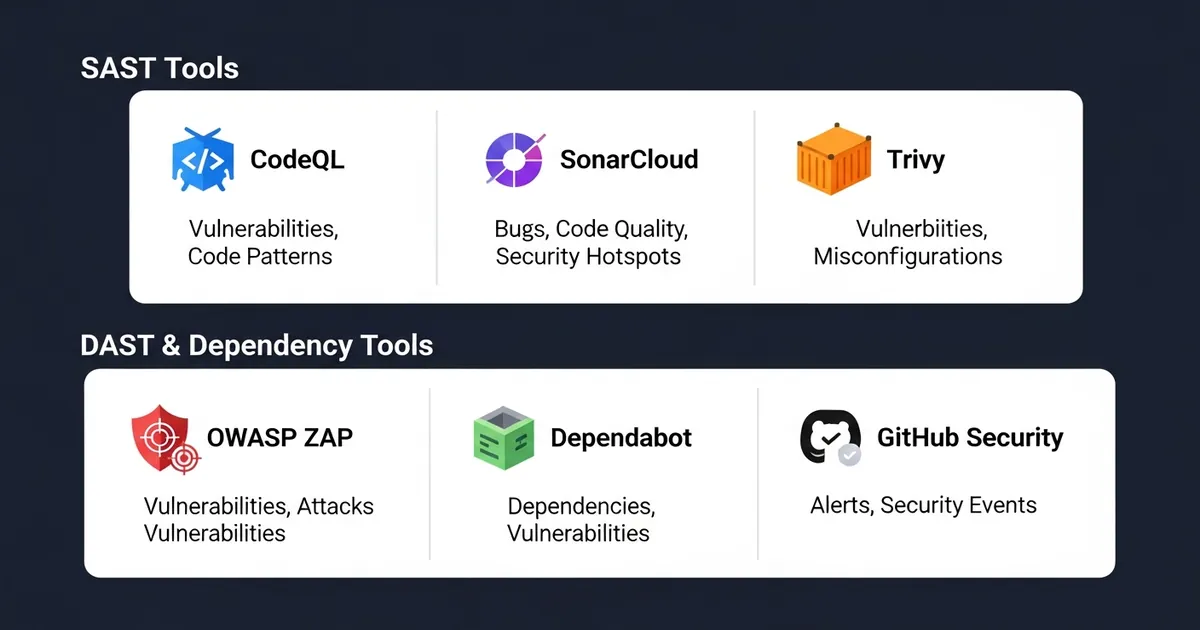
OWASP ZAP (Zed Attack Proxy) is a dynamic test — it accesses your application as an attacker would and looks for vulnerabilities at runtime.
SAST vs DAST difference:
- SAST (Code Scanning, SonarCloud): analyzes source code without running it
- DAST (ZAP): runs the application and attacks it like a real hacker
Workflow with OWASP ZAP#
Add .github/workflows/owasp-zap.yml:
 1
 2
 3
 4
 5
 6
 7
 8
 9
10
11
12
13
14
15
16
17
18
19
20
21
22
23
24
25
26
27
28
29
30
31
32
33
34
35
36
37
38
39
40
41
42
43
44
45
46
47
48
49
50
51
52
53
54
55
56
| name: OWASP ZAP Scan
on:
push:
branches: [ main, develop ]
schedule:
- cron: '0 2 * * 0' # Sunday at 2 AM
jobs:
zap-scan:
runs-on: ubuntu-latest
permissions:
contents: read
security-events: write
steps:
- uses: actions/checkout@v4
- name: Build Docker image
run: docker build -t seu-app:latest .
- name: Start application
run: |
docker run -d --name app -p 8080:80 seu-app:latest
sleep 10 # Wait for the app to start
- name: Run OWASP ZAP scan
uses: zaproxy/[email protected]
with:
target: 'http://localhost:8080'
rules_file_name: '.zap/rules.tsv'
cmd_options: '-a' # Full analysis
issue_title: 'OWASP ZAP: Vulnerabilidades encontradas'
- name: Upload ZAP report
if: always()
uses: actions/upload-artifact@v3
with:
name: zap-report
path: report_html.html
- name: Comment on PR (se DAST falhar)
if: failure()
uses: actions/github-script@v7
with:
script: |
github.rest.issues.createComment({
issue_number: context.issue.number,
owner: context.repo.owner,
repo: context.repo.repo,
body: '🚨 OWASP ZAP encontrou vulnerabilidades. Veja o relatório em Artifacts.'
})
- name: Cleanup
if: always()
run: docker stop app && docker rm app
|
Rules Configuration (.zap/rules.tsv)#
Customize which vulnerabilities ZAP should block:
1
2
3
4
5
6
7
8
| # rule_id alert_title threshold enabled
10000 Information IGNORE true
10001 Informational IGNORE true
40014 Cross Site Request Forgery HIGH true
40016 Cross Site Scripting (Reflected) MEDIUM true
40017 Cross Site Scripting (Stored) HIGH true
90024 SQL Injection CRITICAL true
90025 LDAP Injection HIGH true
|
Running ZAP Locally for Testing#
Before putting it in CI/CD, test it locally:
1
2
3
4
5
6
7
| # Install ZAP
docker pull owasp/zap2docker-stable
# Run a baseline scan
docker run -t owasp/zap2docker-stable zap-baseline.py \
-t http://seu-app.local:80 \
-r report.html
|
⚠️ Warning: DAST only works if your application is running. Make sure the Docker build and start are fast. Scans can take 5-10 minutes.
5. Trivy: Container and Dependency Scanning#
Trivy checks Docker images and dependency files for known vulnerabilities. It is fast (seconds), language-agnostic and integrates well into CI/CD.
What it scans: Docker images, requirements.txt files, package.json, *.csproj, etc.
Workflow with Trivy#
Add .github/workflows/trivy.yml:
 1
 2
 3
 4
 5
 6
 7
 8
 9
10
11
12
13
14
15
16
17
18
19
20
21
22
23
24
25
26
27
28
29
30
31
32
33
34
35
36
37
38
39
40
41
42
43
44
45
46
47
48
| name: Trivy Vulnerability Scan
on:
push:
branches: [ main, develop ]
paths: [ 'Dockerfile', '*.csproj', 'requirements.txt', 'package.json' ]
pull_request:
branches: [ main ]
schedule:
- cron: '0 1 * * 0' # Sunday at 1 AM
jobs:
trivy-scan:
runs-on: ubuntu-latest
permissions:
contents: read
security-events: write
steps:
- uses: actions/checkout@v4
- name: Run Trivy vulnerability scan (filesystem)
uses: aquasecurity/trivy-action@master
with:
scan-type: 'fs' # Filesystem scan
scan-ref: '.'
format: 'sarif'
output: 'trivy-results.sarif'
severity: 'HIGH,CRITICAL'
- name: Upload Trivy results to GitHub Security
uses: github/codeql-action/upload-sarif@v2
if: always()
with:
sarif_file: 'trivy-results.sarif'
- name: Build Docker image (se houver Dockerfile)
if: hashFiles('Dockerfile') != ''
run: docker build -t seu-app:${{ github.sha }} .
- name: Scan Docker image with Trivy
if: hashFiles('Dockerfile') != ''
uses: aquasecurity/trivy-action@master
with:
input: 'seu-app:${{ github.sha }}'
format: 'table'
exit-code: '1' # Fail if vulnerabilities found
severity: 'CRITICAL' # Critical only, not warning
|
Run Trivy Locally#
 1
 2
 3
 4
 5
 6
 7
 8
 9
10
11
| # Install Trivy
curl -sfL https://raw.githubusercontent.com/aquasecurity/trivy/main/contrib/install.sh | sh -s -- -b /usr/local/bin
# Scan a local directory
trivy fs .
# Scan a Docker image
trivy image seu-app:latest
# Critical vulnerabilities only
trivy image --severity CRITICAL seu-app:latest
|
Interpreting Trivy Output#
1
2
3
| vuln-id severity package
CVE-2024-1234 CRITICAL openssl/1.0.2
CVE-2024-5678 HIGH curl/7.32.0
|
Each CVE has a link to details. If it is critical, you should update the package immediately.
📝 Example: Trivy found CVE-2024-1234 in an Ubuntu base image. You update the image, rebuild it and the scan passes. All in less than 1 minute.
6. Practical Example: Complete CI/CD Workflow#
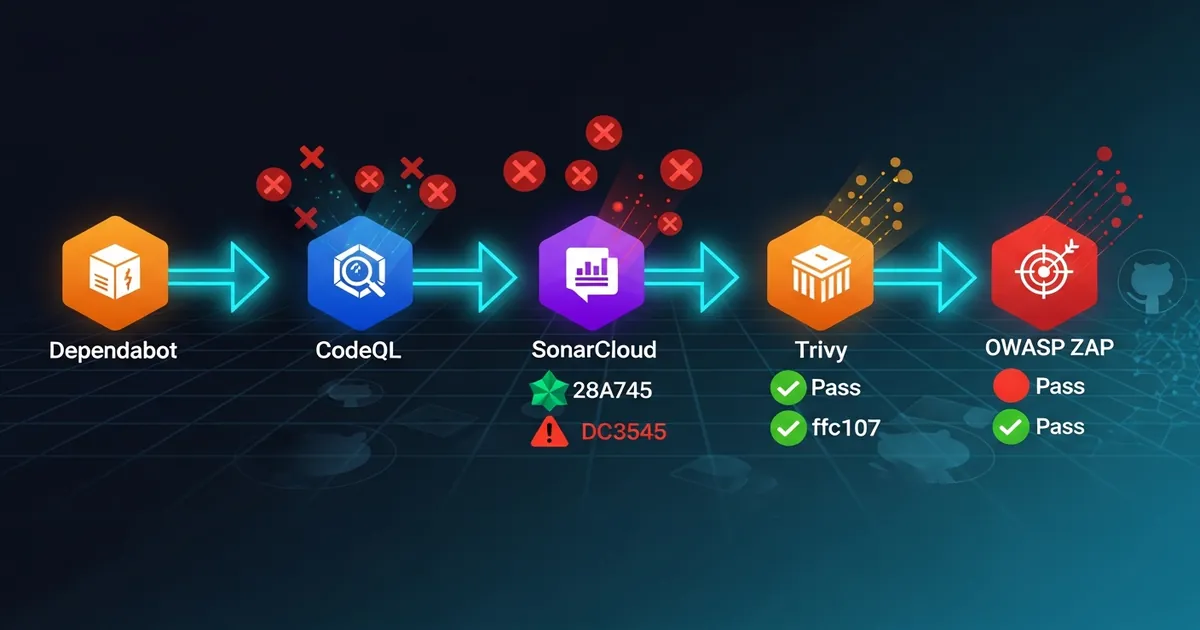
Here is a workflow that runs all 5 security layers on every push:
 1
 2
 3
 4
 5
 6
 7
 8
 9
10
11
12
13
14
15
16
17
18
19
20
21
22
23
24
25
26
27
28
29
30
31
32
33
34
35
36
37
38
39
40
41
42
43
44
45
46
47
48
49
50
51
52
53
54
55
56
57
58
59
60
61
62
63
64
65
66
67
68
69
70
71
72
73
74
75
| name: Segurança Completa
on:
push:
branches: [ main, develop ]
pull_request:
branches: [ main ]
jobs:
# 1. Dependabot already runs automatically (built into GitHub)
# 2. CodeQL
codeql:
runs-on: ubuntu-latest
permissions:
contents: read
security-events: write
steps:
- uses: actions/checkout@v4
- uses: github/codeql-action/init@v2
with:
languages: csharp
- run: dotnet build --configuration Release
- uses: github/codeql-action/analyze@v2
# 3. SonarCloud
sonarcloud:
runs-on: ubuntu-latest
steps:
- uses: actions/checkout@v4
with:
fetch-depth: 0
- uses: actions/setup-dotnet@v4
with:
dotnet-version: '8.0.x'
- run: dotnet restore
- uses: SonarSource/sonarcloud-github-action@master
env:
GITHUB_TOKEN: ${{ secrets.GITHUB_TOKEN }}
SONAR_TOKEN: ${{ secrets.SONAR_TOKEN }}
# 4. Trivy (filesystem + Docker image)
trivy:
runs-on: ubuntu-latest
permissions:
contents: read
security-events: write
steps:
- uses: actions/checkout@v4
- uses: aquasecurity/trivy-action@master
with:
scan-type: 'fs'
format: 'sarif'
output: 'trivy-results.sarif'
- uses: github/codeql-action/upload-sarif@v2
with:
sarif_file: 'trivy-results.sarif'
# 5. OWASP ZAP (main only)
dast:
if: github.ref == 'refs/heads/main'
runs-on: ubuntu-latest
permissions:
contents: read
security-events: write
steps:
- uses: actions/checkout@v4
- run: docker build -t seu-app:latest .
- run: docker run -d --name app -p 8080:80 seu-app:latest && sleep 10
- uses: zaproxy/[email protected]
with:
target: 'http://localhost:8080'
rules_file_name: '.zap/rules.tsv'
- if: always()
run: docker stop app
|
Total Execution Time#
- CodeQL: ~3 minutes
- SonarCloud: ~4 minutes
- Trivy: ~30 seconds
- OWASP ZAP: ~8 minutes (main only)
Total: ~10-15 minutes per push (without parallelization). With parallelization in GitHub Actions, they run in parallel.
7. Tips and Good Practices#
1. Balance false positives and security: Don’t ignore every alert, but don’t paralyze the pipeline either. Set the minimum severity to CRITICAL/HIGH, not MEDIUM.
2. Route vulnerability review: Assign a person or team responsible for reviewing and closing/resolving security alerts. Don’t let them pile up.
3. Chat integration: Connect GitHub Issues/Security Alerts to Slack/Discord. Get real-time notifications.
4. Status checks: Configure Status Checks to block PRs with critical security failures. Actions → Settings → Status Checks.
5. Regular tests in staging: Run DAST (ZAP) regularly against your staging environment (not only in production). Catch problems before deploying.
Objective Summary#
Dependabot — monitors dependencies against CVEs in real time; automatically opens PRs with security updates when it discovers vulnerabilities.
GitHub Code Scanning (CodeQL) — GitHub’s native static analysis that detects 300+ insecure patterns (SQL injection, XSS, RCE) at no additional cost.
SonarCloud — deep SAST analysis measuring code quality, security hotspots, code coverage and technical debt; free for public repos.
OWASP ZAP — dynamic testing (DAST) that runs the application and simulates real attacks to find vulnerabilities exploitable at runtime.
Trivy — fast scanning of filesystems and Docker images for known vulnerabilities in dependencies; runs in seconds.
Read Also#
References#
By commenting, you agree to our Privacy Policy, Terms of Use, Data Deletion Policy.