Introduction
When I talk about SSL/TLS certificates with backend teams, I almost always run into the same dangerous shortcut: “it doesn’t connect in the test environment, so put verify=False in Python or a => true callback in .NET and move on”. This shortcut looks harmless because it fixes the connection error on the spot, but it removes exactly the mechanism that prevents man-in-the-middle (MITM) attacks. In other words: the application keeps “working”, but it no longer knows whether it is talking to the legitimate server.
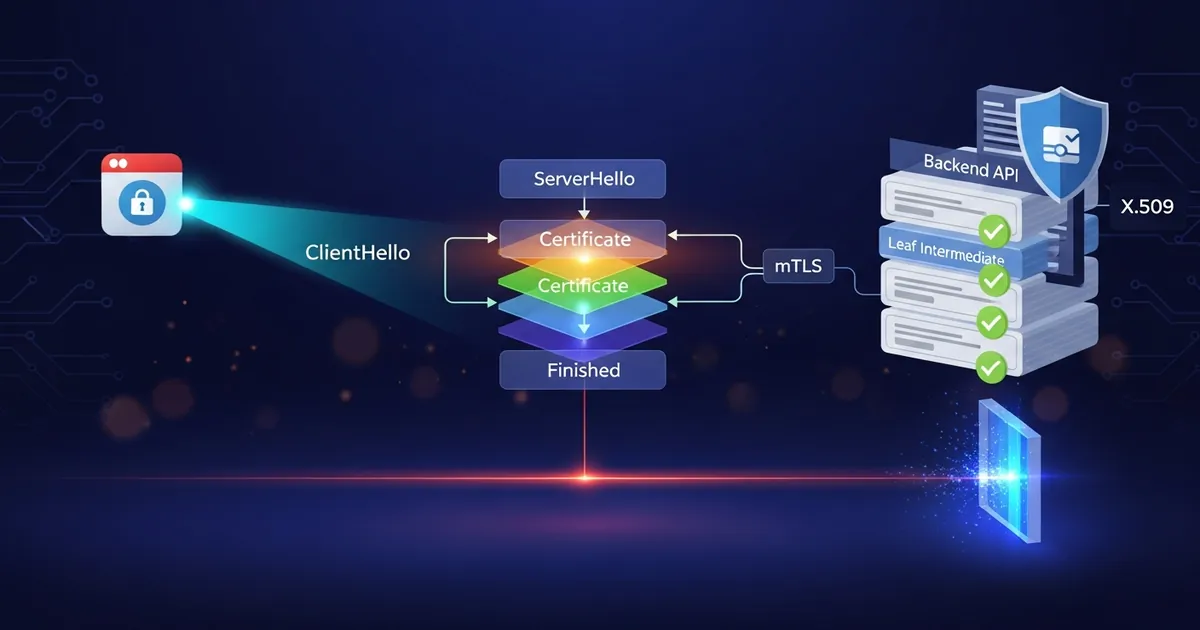
In this article, I will explain how SSL/TLS certificates work in practice and, above all, how I validate certificates correctly in .NET and Python applications in real production scenarios. I will cover the TLS 1.3 handshake, the X.509 chain of trust, trust stores, mTLS, containers and the scenario that raises the most questions in backend teams: an API calling another API over HTTPS with a Load Balancer, NGINX, HAProxy, F5, Azure Application Gateway, AWS ALB or Kubernetes Ingress in the middle. The idea is to leave abstract theory behind and get to code and architecture you can put in production without being embarrassed by an audit.
When an API calls https://api2.interno.empresa.com, it validates the certificate presented by the HTTPS endpoint that received the connection. In many architectures, that endpoint is not the API 2 container; it is a Load Balancer or Reverse Proxy performing TLS Termination. After that, the traffic may continue to the backend over internal HTTP, internal HTTPS with a new validation, or TLS passthrough all the way to the container itself. Understanding where TLS ends avoids a classic confusion: thinking that the client API always validates the container’s certificate.
This is the fourth article in the Segurança para Devs (Security for Devs) series. In the previous articles I covered authentication, BFF and API Gateway. Now I focus on the transport layer, because without correctly validated TLS everything else becomes fragile: a strong JWT does not save a compromised channel, correct OAuth2 does not protect against traffic interception, and badly configured mTLS can turn into security theater.
ℹ️ Info: TLS 1.3 (RFC 8446) reduced the handshake to 1-RTT in the common case and removed old, insecure suites and algorithms. This improves security and latency at the same time.
If you want the thesis summarized right at the start: validating certificates is not optional. It is an integrity control for the channel. When I disable verification to “make it work”, I trade an explicit error for a silent risk. The goal here is to show you how to keep connections secure without falling for those shortcuts.
Prerequisites
To follow the examples without friction, I recommend this environment:
- .NET 10 SDK installed to compile the C# samples.
- Python 3.12+ with
requestsavailable. - Basic knowledge of HTTP/HTTPS, status codes and headers.
- Minimal familiarity with Docker and Linux images (Debian/Ubuntu) for the container part.
It also helps to have access to a test HTTPS endpoint with its own certificate (internal CA) and, if you want to reproduce mTLS, a client certificate (.pfx in .NET or a .crt/.key pair in Python).
What TLS/SSL is and why “SSL” is a legacy term
In daily use, I still hear “SSL certificate” all the time, including in product documentation. Technically, however, SSL (Secure Sockets Layer) is the historical name. SSL 2.0 and SSL 3.0 have been obsolete for years because of serious security problems. The current protocol is TLS (Transport Layer Security), with the modern focus on TLS 1.2 and TLS 1.3.
Why does this distinction matter? Because language shapes technical decisions. When I treat TLS as “SSL”, I tend to inherit an old mindset: compatibility above security, weak ciphers to serve legacy clients, tolerance for badly issued certificates. When I treat it as modern TLS, I prioritize secure suites, strict validation and observability of expiration/revocation.
In practice, the digital certificate is an X.509 document that binds an identity (domain, organization, service) to a public key. TLS uses this certificate to establish an encrypted and authenticated channel between client and server. The client validates whether the certificate is trusted, whether the host name matches the SAN/CN and whether the chain up to a trusted root CA closes correctly.
I like to summarize it like this:
- Encryption protects the confidentiality of the traffic.
- Integrity guarantees the packet was not altered.
- Authenticity confirms who I am talking to.
Without certificate validation, I keep encryption but lose authenticity. That is exactly the point an MITM attacker exploits.
⚠️ Warning: If the client accepts any certificate, TLS becomes an encrypted tunnel to the right attacker. Encrypted, but compromised.
How the TLS 1.3 handshake works
The TLS 1.3 handshake is the negotiation process between client and server before application data flows. I find it useful to see this flow in five blocks:
- ClientHello: the client sends supported TLS versions, cipher suites, extensions (such as SNI and ALPN) and an ephemeral key for ECDHE.
- ServerHello: the server chooses the version/suite, responds with its ephemeral key and starts the session parameters.
- Certificate + CertificateVerify: the server sends the certificate chain and proves possession of the private key.
- Finished: both confirm they arrived at the same session keys.
- Application Data: HTTP traffic is now protected by the established channel.
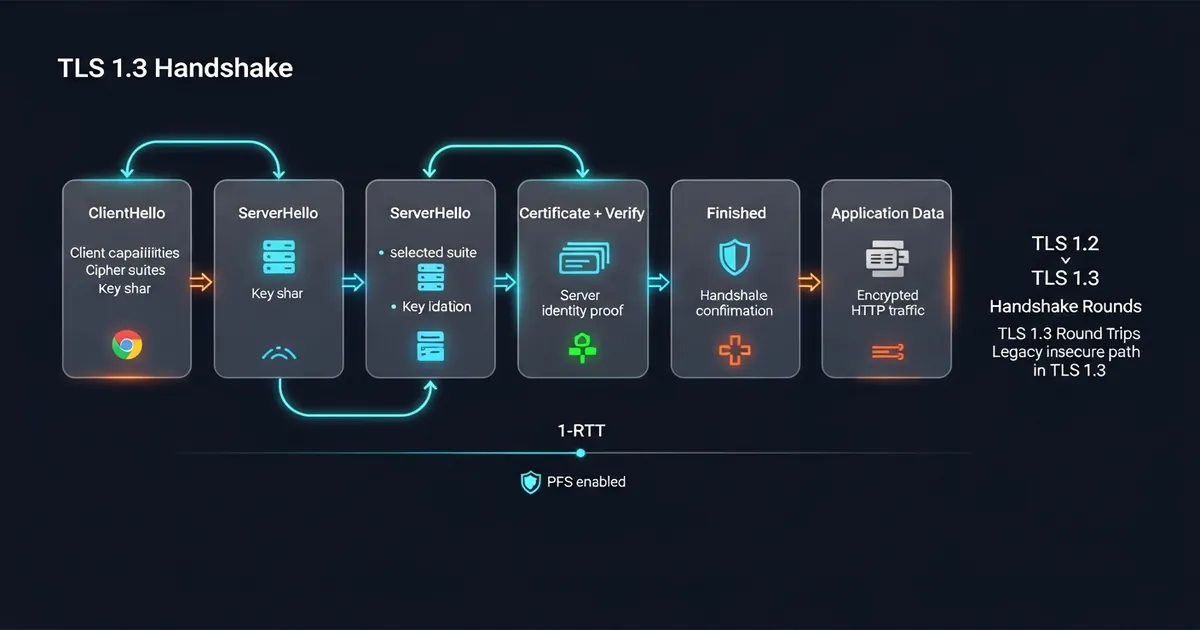
The most important change compared to older versions is the reduced complexity. TLS 1.3 removed insecure renegotiation, removed RSA key exchange and made ECDHE the default for perfect forward secrecy (PFS). In practical terms, even if the server’s private key leaks in the future, old sessions are not retroactively decrypted.
Another point I observe in production: a handshake error usually points more to certificate/trust store configuration than to a code bug. That is why detailed logging of TLS failures is essential. When I capture hostname, issuer, thumbprint and chain status, I resolve incidents much faster.
ℹ️ Info: TLS 1.3 uses only modern AEAD suites (such as AES-GCM and ChaCha20-Poly1305), reducing the attack surface and simplifying operational hardening.
Chain of trust: root CA, intermediate and end-entity certificate
A certificate is not an isolated entity. It participates in a chain of trust. In general, I have:
- End-entity certificate: belongs to the server (for example
api.minhaempresa.com). - Intermediate CA: issues server certificates and reduces exposure of the root.
- Root CA: the trust anchor present in the client system’s trust store.
When the client receives the server certificate, it tries to build that chain up to a locally trusted root. If the root is not in the trust store, validation fails with an untrusted root error. This is common in corporate environments with internal PKI, labs and air-gapped environments.
For public internet certificates, the chain normally ends in a root CA already present in the system or browser trust store. That is the case for certificates issued by public CAs (certificate authorities) such as Certisign, DigiCert, GlobalSign and Let’s Encrypt. In those scenarios, I don’t need to distribute an internal CA to external clients; the focus becomes sending the correct intermediate chain from the server and keeping renewal up to date.
Day to day, the most frequent problems I see are:
- Server not sending the correct intermediate.
- Expired certificate or outside its validity window.
- SAN without the expected hostname.
- Chain trusted on the host, but not in the container.
That last one is treacherous: it works on my laptop, not in the pod. The reason is usually simple: the image did not receive the internal CA in the system trust store.
When I work with a private CA, my approach is twofold:
- I install the CA in the system trust store in the controlled environment.
- When necessary, I use custom trust in the application for isolated scenarios.
That second option requires discipline. Custom trust is a good tool when well scoped, but dangerous if it becomes a general rule without governance.
Validating certificates correctly in .NET
In .NET, my reference for a modern HTTP client is HttpClient with SocketsHttpHandler. It allows configuring TLS without insecure tricks. The key point is: I never return true unconditionally in the callback.
When the endpoint uses a public certificate issued by a trusted public CA, the default .NET path already handles validation using the system trust store. I only add custom trust when I have a private CA or a specific isolation requirement.
Sample snippet with custom trust and real chain validation:
| |
📂 Source Code: The full example is available in the blog’s samples repository:
BlogSamples/Security/Certificates/
In the validator, I immediately reject RemoteCertificateNotAvailable and RemoteCertificateNameMismatch, then rebuild the chain with a strict policy (NoFlag) and online revocation. If there is a custom CA, I apply TrustMode = CustomRootTrust and add the root to CustomTrustStore.
Example of creating an mTLS client:
| |
📂 Source Code: The full example is available in the blog’s samples repository:
BlogSamples/Security/Certificates/
Two operational details make a difference in production:
- I prefer
X509CertificateLoaderover legacy constructors to avoid warnings and ensure current compatibility. - I monitor chain and expiration errors in structured logs to trigger alerts before an outage.
Validating certificates correctly in Python
In Python, I see the same anti-pattern as in .NET: verify=False to “unblock” an integration. In production, this must not exist. The correct path with requests is to provide the trusted CA bundle in verify, or keep the default trust store when using a public CA.
Secure example with requests:
| |
If I need finer control, I create an explicit SSLContext:
| |
📂 Source Code: The full example is available in the blog’s samples repository:
BlogSamples/python/
For mTLS in requests, I pass the client certificate/key pair in the cert parameter:
| |
This approach serves me well for automations, workers and backend-to-backend integrations. In sensitive APIs, I combine mTLS with an application token for defense in depth.
For a public server certificate (for example, a public domain issued by Certisign or another public CA), the standard is usually to keep verify=True and use the native trust store, without a custom CA bundle. I only point verify to a file when I need to trust a private CA or a chain outside the system default.
mTLS: when the client also presents a certificate
In traditional TLS, only the server presents a certificate. In mTLS (mutual TLS), both client and server present certificates. I use this when I want strong service-to-service identity without relying only on a static secret.
Common scenarios where mTLS is worth the cost:
- Internal communication between API Gateway and critical services.
- B2B integration with fixed partners and compliance requirements.
- Financial and industrial environments where cryptographic identity is mandatory.
mTLS does not replace business authorization. It proves the client’s technical identity, but I still need to decide whether that client can perform that action. In practice, I treat mTLS as an edge control and keep authorization by scope/claims in the application.
If you want the architectural context of the series, this article connects directly with API Gateway: The Missing Piece in Your SPA’s Security, where I show how a gateway applies policies at scale.
Certificates in containers
Containers change the game quite a bit because the host trust store is not inherited automatically the way many people imagine. Each image has its own set of CAs. When I get a TLS error only in the pod, it is almost always a CA missing from the image filesystem.
On Debian/Ubuntu, the standard flow is:
| |
With this, libraries that use the system trust store start trusting the internal CA. I avoid putting sensitive certificates in environment variables. For client certificates and private keys, I mount the secret in tmpfs (such as /run/secrets) and limit read permission to the application process.
I am also careful with rotation:
- CA and certs with monitored expiration dates.
- Image pipeline prepared for replacement without unnecessary downtime.
- Health checks that fail early when the chain does not validate.
In Kubernetes, this usually means combining Secret/CSI driver with a controlled rollout and handshake observability.
TLS Termination in Load Balancers and Reverse Proxies
In corporate architecture, the call is rarely as direct as “API 1 opens TLS with the API 2 container”. The most common design is this:
| |
In this model, API 1 validates the certificate of the Load Balancer or Reverse Proxy, because that is what appears as the TLS server in the connection. If the DNS name api2.interno.empresa.com points to an NGINX, F5, HAProxy, Azure Application Gateway, AWS ALB or Ingress Controller, that component is the one presenting the certificate to the client. The API 2 container can be serving plain HTTP on a private network and, even so, API 1’s external call is still HTTPS.
The client API code does not need to change because of this:
| |
From the HttpClient point of view, the flow is simple: resolve DNS, connect to the returned IP, receive the TLS server certificate, validate hostname/chain/validity and only then send HTTP inside the encrypted tunnel. What happens after the Load Balancer is transparent to the client API.
ℹ️ Info: If the client API calls
https://api2.interno.empresa.com, that name must be in the SAN of the certificate presented by the Load Balancer or Reverse Proxy. The SAN of the container’s certificate only matters to whoever opens TLS directly with the container.
The question that usually comes up is: “if the certificate is on the Load Balancer, why does the API need to validate it?” The answer is that, for the client API, the Load Balancer is the TLS server. Validation prevents the API from sending data to an endpoint that merely looks like api2.interno.empresa.com but does not have a trusted certificate for that name. TLS does not authenticate “the container” by definition; TLS authenticates the other end of the connection that was opened.
When the reverse proxy has a CA
The phrase “the reverse proxy has the CA certificate” can mean three different things, and each covers a distinct scenario:
| What the proxy holds | What it is for | Scenario covered |
|---|---|---|
| Server certificate signed by a CA | Present HTTPS identity to clients | TLS Termination at the Load Balancer/Proxy |
| Trusted CA certificate | Validate the certificate of an HTTPS upstream | TLS Re-encryption between proxy and backend |
| CA of trusted clients | Validate certificates presented by clients | mTLS at the reverse proxy edge |
In the first case, the proxy does not “have the CA” as an authority key; it has a server certificate issued by a public or private CA. This is the most common TLS Termination case: API 1 validates the proxy’s certificate, and the proxy forwards to API 2.
In the second case, the proxy has the CA’s public certificate in its trust store to validate the backend. Here the proxy acts as a TLS client when it calls https://api2-backend.interno.local. API 1 validates the proxy; the proxy validates the backend. They are two independent TLS sessions.
In the third case, the proxy has a CA of trusted clients to require mTLS at the entrance. API 1 presents a client certificate, the proxy validates that certificate against the configured CA and only then accepts the connection. This authenticates the calling API at the edge, but does not replace business authorization inside the application.
⚠️ Warning: A CA’s private key must not live in a Load Balancer, NGINX or application container. The proxy needs the server certificate and, when necessary, the CA’s public certificate for validation. The CA’s private key belongs to the issuance process, not to the API runtime.
TLS Termination, Re-encryption and Passthrough
The three models below solve different problems. I like to explicitly choose one of them in an architecture design, because the phrase “uses HTTPS” alone does not say where TLS starts, ends or is reopened.
| Model | Flow | Who presents the certificate to the client? | Does the backend use TLS? | When to use |
|---|---|---|---|---|
| TLS Termination | Client -> HTTPS -> LB/proxy -> HTTP -> API | LB/proxy | No | Controlled private network, lower operational complexity |
| TLS Re-encryption | Client -> HTTPS -> LB/proxy -> HTTPS -> API | LB/proxy | Yes | Regulated environments, shared internal network or sensitive traffic |
| TLS Passthrough | Client -> HTTPS -> TCP LB -> API | API/backend | Yes | When the LB must not terminate TLS or inspect HTTP |
In TLS Termination, the Load Balancer ends the TLS session and starts seeing the HTTP request. This enables routing by path, headers, cookies and WAF policies, but requires trust in the network between proxy and backend. In many internal environments, this design is acceptable when there is network segmentation, firewall, service-to-service authentication and observability.
In TLS Re-encryption, the proxy ends the client’s TLS and opens a new HTTPS connection to the backend. This design creates two independent protections: the client validates the proxy, and the proxy validates the backend. It is the model I prefer when traffic crosses a shared network, multi-tenant Kubernetes, a service mesh or an environment with stronger regulatory requirements.
In TLS Passthrough, the Load Balancer operates at the TCP layer and forwards the TLS connection without opening the HTTP content. The certificate presented to the client is the backend’s, not the proxy’s. The gain is keeping TLS end to end up to the application; the loss is fewer HTTP routing, inspection and WAF features at the edge.
NGINX as the TLS termination point
When I use NGINX as a web server/reverse proxy, the central point is always the same: the certificate presented to the client lives in the HTTPS server block, via ssl_certificate and ssl_certificate_key.
Public certificate presented to the client
In the public scenario (a public CA such as Certisign, DigiCert, GlobalSign or Let’s Encrypt), my practice is to configure NGINX with the full chain (fullchain) to avoid incomplete-chain errors on the client:
| |
In this example, NGINX performs TLS Termination. The client validates api.minhaempresa.com, receives the NGINX certificate and only then does the request continue to http://app:8080 inside the internal network.
mTLS between client and NGINX
In the internal scenario with a private CA, the certificate configuration in NGINX is similar, but clients will only trust it if the internal CA is in their trust store. If the endpoint requires client mTLS, I enable explicit verification:
| |
Here NGINX uses ssl_client_certificate as the list of trusted CAs to validate certificates presented by clients. This covers the scenario in which API 1 also needs to prove its identity with a certificate before accessing API 2.
NGINX validating the HTTPS upstream certificate
When NGINX also acts as a TLS client for an internal HTTPS upstream, I enable certificate validation in the proxy so as not to fall into the anti-pattern of blind trust:
| |
With this, I cover both sides of security: the certificate NGINX presents to the outside and the certificate validation when it calls internal HTTPS services.
Practical Example
As a practical example, I use two client implementations and three infrastructure topologies to validate:
- .NET in
src/BlogSamples/Security/Certificates/with a secureHttpClient, custom trust and mTLS. - Python in
python/ssl_validation_example.pywithrequestsand a strictSSLContext. - API calling API through a Load Balancer: API 1 accesses
https://api2.interno.empresa.comand validates the certificate presented by the Load Balancer or Reverse Proxy. - TLS Re-encryption: the proxy terminates HTTPS at the edge and opens a new validated HTTPS connection to the backend API.
- TLS Passthrough: the proxy does not terminate TLS; the certificate seen by the client is the backend’s certificate.
The flow I recommend to validate end to end:
- Bring up a test HTTPS endpoint with a private CA.
- Point an internal DNS name to the Load Balancer or NGINX.
- Run the .NET client with
CriarClienteComCaPrivadacalling the service’s public DNS name, not the container name. - Run the Python script passing
TLS_CA_BUNDLE,TLS_CLIENT_CERTandTLS_CLIENT_KEYwhen there is mTLS. - Check chain and hostname logs in both.
- Force an error (wrong hostname or expired cert) to confirm the application fails safely.
📝 Example: If the endpoint is
https://api.interna.localand the certificate has a SAN only forapi.dev.local, the connection must fail due to a name mismatch. That is the correct and expected behavior.
With this flow, I prove two things to the team: that the happy path works and that the failure path fails the right way. Mature security is not just “it works when everything is pretty”; it is predictable when something goes off the expected path.
Tips and Good Practices
Never disable validation (
verify=False,CERT_NONE,=> truecallback). When I remove validation, I eliminate the channel’s authenticity and open the way for MITM. Instead, I fix the trust store, SAN or chain.Prefer pinning the CA/intermediate instead of pinning the end-entity certificate. Pinning the leaf breaks with frequent renewals. Pinning a well-governed CA reduces maintenance without losing control.
Monitor expiration and handshake failures as a platform metric. I treat TLS errors as a high-value operational signal. Alerting 30 days before expiration avoids a preventable incident.
Use mTLS for sensitive lateral traffic, especially between gateway and backend. This reduces the risk of improper direct calls to internal services. Even so, keep authorization by claims/scopes in the app.
Standardize CA installation in images and local environments. I document the trust store step per distro and automate it in the Dockerfile. This eliminates TLS “works on my machine” problems.
For a public domain, prefer a well-supported public CA and renewal automation. This reduces the friction of distributing trust to external clients. Even with a public CA, I validate the chain sent by the server and monitor expiration to avoid downtime.
Make sure the SAN matches the DNS name used by the client. If the API calls
api2.interno.empresa.com, that name must be in the certificate presented by the Load Balancer or Reverse Proxy. The backend certificate only enters validation when there is TLS Re-encryption or Passthrough.Explicitly choose between Termination, Re-encryption and Passthrough. TLS Termination simplifies operations, Re-encryption also protects the internal hop, and Passthrough keeps the certificate on the backend. Don’t treat them all as generic “HTTPS”, because each model changes who validates whom.
Do not put a CA private key on the reverse proxy. The proxy needs the server certificate’s private key to present its identity and the public certificates of the CAs it uses to validate clients or upstreams. The CA’s private key must stay protected in the issuance process, outside the runtime.
Test negative scenarios intentionally. Include cases with an invalid hostname, expired cert and incomplete chain in the quality pipeline. If the client accepts those scenarios, something is wrong.
Objective Summary
- TLS 1.3 — is the modern secure transport protocol; SSL is obsolete legacy and should not be the target of new configuration.
- Certificate validation — must confirm the chain of trust, hostname (SAN/CN), validity period and, when applicable, revocation.
- TLS Termination — happens when a Load Balancer or Reverse Proxy terminates HTTPS, presents the certificate to the client and forwards the request to the backend over HTTP or HTTPS.
- TLS Re-encryption — creates two independent TLS sessions: client-proxy and proxy-backend; the client validates the proxy, and the proxy validates the backend API.
- TLS Passthrough — keeps the TLS session up to the backend; the certificate seen by the client is the application’s, but the proxy loses detailed HTTP inspection.
- .NET and Python clients — must validate certificates with
SocketsHttpHandler,CustomRootTrust,verify,CERT_REQUIREDandcheck_hostname=True, without insecure bypasses. - mTLS — adds client authentication by certificate and is especially useful in critical service-to-service communication.
- NGINX with HTTPS — uses
ssl_certificateandssl_certificate_keyto present identity;ssl_client_certificatevalidates mTLS clients andproxy_ssl_trusted_certificatevalidates upstreams.
Read Also
- Authentication and Authorization: JWT, OAuth2 and OpenID Connect
- BFF Backend For Frontend: Security in SPAs
- API Gateway: The Missing Piece in Your SPA’s Security
- Prevenção de DDoS: Infraestrutura e Segurança em Aplicações Modernas
References
- RFC 8446 - The Transport Layer Security (TLS) Protocol Version 1.3 — official TLS 1.3 specification.
- RFC 5280 - Internet X.509 Public Key Infrastructure Certificate and CRL Profile — X.509 certificate profile and chain validation.
- Microsoft Docs - X509Chain — chain building and validation API in .NET.
- Microsoft Docs - SocketsHttpHandler — modern HTTP client configuration in .NET.
- Python Docs - ssl — TLS context configuration in Python.
- Requests Docs - SSL Cert Verification — certificate verification in the requests library.
- OWASP Transport Layer Security Cheat Sheet — practical TLS hardening guide.
- NGINX Docs - ngx_http_ssl_module —
ssl_certificate,ssl_certificate_keydirectives and HTTPS configuration in theserverblock. - NGINX Docs - ngx_http_proxy_module —
proxy_ssl_verifyandproxy_ssl_trusted_certificatedirectives for upstream TLS validation. - HAProxy Documentation - SSL/TLS — TLS termination, certificates and validation configuration in HAProxy.
- Kubernetes Documentation - Ingress TLS — using TLS in Ingress Controllers on Kubernetes.
- Azure Application Gateway - SSL termination and end-to-end SSL — TLS termination and end-to-end encryption options in Application Gateway.
- AWS Elastic Load Balancing - HTTPS listeners — HTTPS listener and certificate configuration in Application Load Balancer.
By commenting, you agree to our Privacy Policy, Terms of Use, Data Deletion Policy.