Introduction
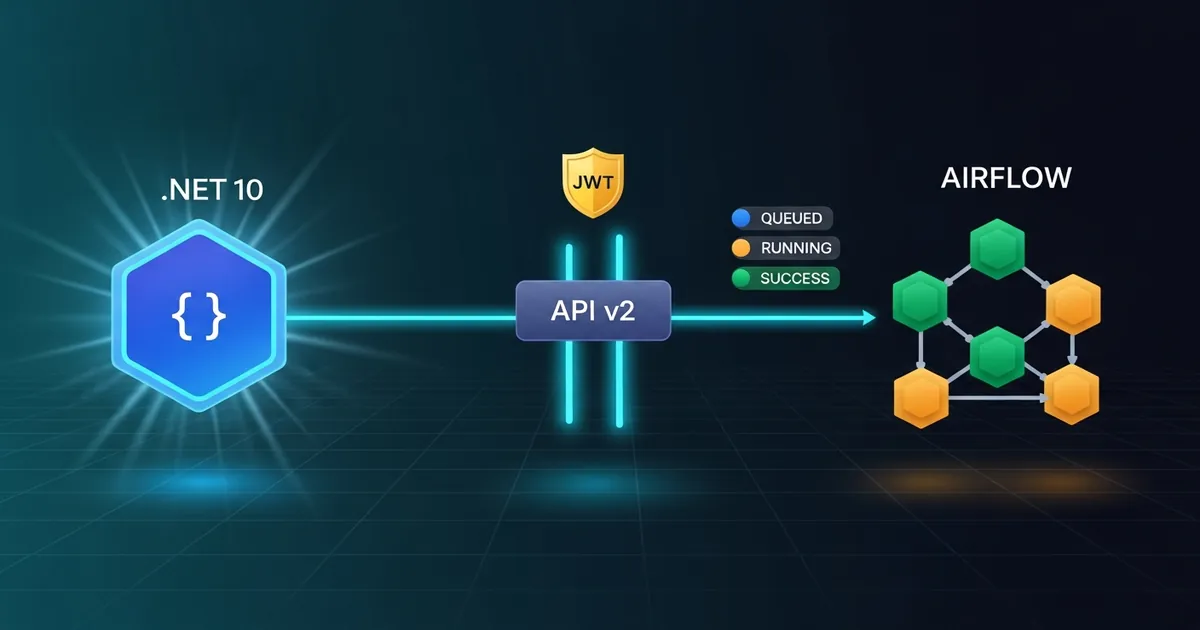
Integrating Apache Airflow with .NET 10 does not mean porting the orchestrator, rewriting DAGs in C# or running the Python runtime inside the application. The right solution is to keep Airflow responsible for creating, scheduling and monitoring workflows and have the .NET service consume its public REST API. The service authenticates, triggers a DAG Run with parameters, stores the returned identifier and queries the state until it receives success, failed or canceled. This separation preserves the role of each technology and creates a clear contract between the transactional application and the data platform.
In this guide, I will implement this flow end to end using .NET 10, HttpClient, JWT authentication and the /api/v2 API of Apache Airflow 3.3. The example does not stop at a POST: it generates a traceable dag_run_id, serializes conf correctly, reuses the token until close to expiration, renews the credential after a 401 response, applies a timeout to monitoring and propagates cancellation. I will also expose the integration through a Minimal API, so that another system can start the process without knowing Airflow’s details.
The current name of Microsoft’s platform is .NET 10, not “.NET Core 10”. The “.NET Core” brand was used up to version 3.1; since .NET 5, the unified product has been called simply .NET. This difference does not change the code, but it avoids confusion when searching for documentation, container images and compatible packages.
The practical scenario is an order service that requests the execution of the etl_vendas DAG. The configuration sent contains the reference date and a correlation identifier. Airflow keeps running Python, SQL, container or distributed tasks; C# only controls the execution lifecycle across the HTTP boundary.
ℹ️ Info: in Airflow 3, the stable public endpoints live under
/api/v2. Internal UI routes are not an integration contract and may change along with the frontend.
Prerequisites
To follow the example, you need the .NET 10 SDK, Docker Compose 2.14 or later and at least 4 GB of memory available to Docker. The repository includes an instance of Apache Airflow 3.3.0, PostgreSQL 16 and the etl_vendas DAG, so there is no need to install Airflow or Python directly on the machine. Authentication uses a JWT obtained via POST /auth/token.
The example was written for the public API v2. If your company still uses Airflow 2, the stable API usually appears under /api/v1, with contracts and authentication mechanisms that may vary. Do not just swap the number in the URL: validate the OpenAPI of the installed version, because field names, states and available resources are not necessarily identical.
You should also confirm these points before coding:
- The .NET service can resolve DNS and open a TLS connection to the Airflow endpoint.
- The technical user has only the permissions required to trigger and read the chosen DAG.
- The reverse proxy accepts the
POSTandGETverbs, theAuthorizationheader and the maximum size expected forconf. - The DAG is idempotent or receives a business key that prevents duplicate processing.
- The service timeout is compatible with the expected workflow duration.
In production, store the password in a vault, a container secret or an environment variable. The .NET hierarchical key will be Airflow__Senha; the two underscores represent the configuration separator. Never publish the credential in appsettings.json, a Docker image, a log or telemetry.
Running Airflow 3 with persistent data in Docker
The example uses a smaller stack than the official quick-start because the goal is to test the REST integration, not to demonstrate the CeleryExecutor. The LocalExecutor runs tasks in the same environment as the scheduler and removes Redis and Celery workers. The components required by Airflow 3 remain: API server, scheduler, DAG processor, triggerer, initializer and PostgreSQL.
All relevant data uses bind mounts, that is, explicit repository directories mounted into the containers. DAGs live in dags/, logs in logs/, configuration in config/, plugins in plugins/ and the PostgreSQL cluster in data/postgres/. The generated directories are in .gitignore; only the DAG, the Compose file and .gitkeep files are versioned. Running docker compose down can destroy containers and network without deleting the database, users, history or logs.
In Airflow 3, the executor also needs to talk to the Execution API. That is why all services receive AIRFLOW__CORE__EXECUTION_API_SERVER_URL=http://airflow-api-server:8080/execution/. Using localhost in this variable would make the scheduler look for the API inside its own container and the tasks would fail with Connection refused, even with a healthy external healthcheck.
The excerpt below shows the mounts. The complete file also defines healthchecks and startup dependencies:
| |
📂 Source Code: The stack, the DAG and the complete instructions are available in the samples repository:
BlogSamples/Orchestration/Airflow/
Initialize the database and create the user on the first run. The up -d --wait command only returns when the healthchecks have finished:
| |
The web interface and the public API will be at http://localhost:8081. The example’s default credentials are user dotnet-service and password airflow; change them in .env in any shared environment. To configure the .NET client without writing the password to a file, use an environment variable:
| |
⚠️ Warning: this stack is intended for development and demonstration. Default credentials,
LocalExecutorand an HTTP API without TLS do not meet production requirements.
How Apache Airflow splits responsibilities
Apache Airflow represents workflows as DAGs, directed acyclic graphs that describe tasks and dependencies. A DAG is the definition; a DAG Run is a concrete execution of that definition in a given context. Several DAG Runs of the same DAG can coexist, and each has its own dag_run_id, state, dates and configuration. This distinction is essential so that the .NET client does not confuse the pipeline with one of its executions.
The scheduler evaluates schedules and dependencies. The executor forwards tasks to the execution environment, which may use local processes, Celery or Kubernetes, depending on the deployment. Workers run the tasks. The web interface presents grids, graphs, logs and history. The public API offers a programmatic boundary over these resources. Therefore, the .NET service does not need to know internal queues, the metadata database or worker details.
This architecture works well for ETL pipelines, model training, report generation and multi-step automations. A .NET checkout can publish an event and return quickly, while Airflow coordinates later processing. In another scenario, an administrative API can trigger the DAG and wait for the result because the operator needs synchronous confirmation. The choice between waiting and decoupling depends on duration and impact on the user, not on the API’s technical capability.
The state of the DAG Run is derived from the leaf tasks. According to the official documentation, the normal final states of a DAG Run are success and failed; the experimental wait endpoint also considers canceled. States such as queued and running indicate that the execution can still change. A client must not interpret HTTP 200 on trigger as successful completion: that response confirms the creation of the DAG Run, not the workflow result.
REST API v2, JWT and the authentication contract
The authentication flow documented for Airflow 3 starts at POST /auth/token. The body contains username and password, and the response contains access_token. Subsequent calls send Authorization: Bearer <token>. Since the token endpoint is provided by the auth manager, a corporate deployment may use another mechanism or add requirements. Check the environment configuration before assuming that local credentials will be enabled.
After authentication, triggering uses POST /api/v2/dags/{dag_id}/dagRuns. In Airflow 3.3, the body requires dag_run_id, conf and logical_date; send logical_date: null when you want the server to determine the logical date. The configuration is a JSON object delivered to the DAG context. Querying uses GET /api/v2/dags/{dag_id}/dagRuns/{dag_run_id}. The identifier must be escaped in the URL, even when the current names seem to contain only letters and underscores.
In C#, I map the snake case names explicitly. This matters because JsonSerializerDefaults.Web produces camel case, not dag_run_id. The excerpt below shows the main contracts:
| |
📂 Source Code: The complete example is available in the blog’s samples repository:
BlogSamples/Orchestration/Airflow/
A robust client does not request a new token on every poll. It reads the JWT exp claim and reuses the credential while there is enough validity margin. A SemaphoreSlim prevents several concurrent requests from renewing the token at the same time. If the server responds 401 or 403 after a JWT key rotation, the client invalidates the cache, authenticates again and repeats the call only once. A truly insufficient permission will keep returning 403 on the second attempt. Unlimited retries would hide incorrect credentials and could put pressure on the authentication endpoint.
Execution identity, parameters and idempotency
The dag_run_id is the traceability bridge between the two platforms. In the example, it follows the format dotnet__<UTC timestamp>__<guid>. The timestamp helps during a manual investigation, while the GUID avoids collisions between service instances. I record this identifier along with the dag_id, the state and the correlation ID of the originating request. That way, a search in the .NET log leads to the corresponding DAG Run in the Airflow interface.
For business processes, randomness is not enough. Imagine the client sends the same order twice after a network timeout. The first POST may have created the execution, even if the response never arrived. Automatically repeating the trigger with another GUID would produce two workflows. A stronger strategy derives the identifier from an idempotency key, such as pedido__8f32..., and handles 409 Conflict by querying the existing execution. Another alternative persists an outbox before the integration and lets a worker control the attempts.
The conf object should contain small, immutable references, not files or large batches of records. Send pedido_id, data_referencia, an object URI or a correlation ID. The DAG uses these references to fetch the data from the authorized source. The documentation itself warns that very large payloads can affect webserver stability and recommends limits on the proxy.
⚠️ Warning: do not apply a generic retry policy to the trigger
POSTwithout an idempotency key. A transport failure does not prove that Airflow failed to create the DAG Run.
Also avoid putting secrets in conf. The configuration appears in DAG Run metadata and may be visible to authorized operators. Pass only identifiers; retrieve credentials from an Airflow secrets backend, such as HashiCorp Vault, AWS Secrets Manager or another provider compatible with your infrastructure.
Architecture of triggering and monitoring
The synchronous flow has three phases. First, the .NET service obtains or reuses a JWT. Then, it creates the DAG Run and receives the initial state, usually queued. Finally, it queries the same execution at controlled intervals until a terminal state. Request cancellation and a dedicated timeout must interrupt the loop so that connections and tasks are not held indefinitely.
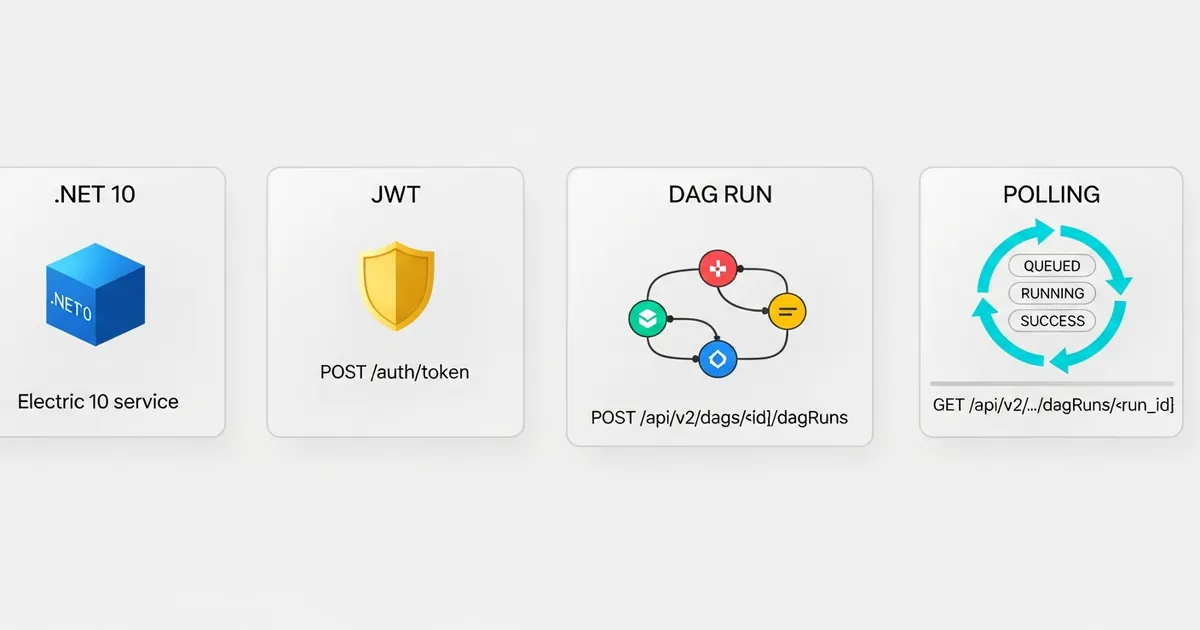
I prefer explicit polling with GET in the main example because the endpoints used are stable. Airflow 3 also offers GET /api/v2/dags/{dag_id}/dagRuns/{dag_run_id}/wait, which streams updates in NDJSON, but the documentation classifies it as experimental. It can be useful in controlled automations, but it is not the best foundation for a long-lived contract without encapsulation and compatibility tests.
The polling interval must balance latency and load. Polling every 100 milliseconds does not speed up the DAG and multiplies requests to the webserver. For workflows lasting minutes, five or ten seconds is usually a reasonable starting point. Add jitter when many instances may start together, preventing all of them from polling at the same instant. For thousands of simultaneous workflows, prefer a central worker, callbacks or events instead of holding one HTTP request per execution.
The HttpClient timeout limits an individual call; it does not limit the whole monitoring. That is why the example uses a CancellationTokenSource linked to the received token and calls CancelAfter with the maximum workflow time. This distinction avoids a common mistake: configuring 30 seconds on the HTTP client and believing the whole loop will finish within that time.
Practical Example
The core of the example is a typed client registered with IHttpClientFactory. The BaseAddress comes from configuration, and each call creates its own HttpRequestMessage. The Bearer header lives in the message, not in DefaultRequestHeaders, which avoids contention when concurrent requests use different tokens during a renewal.
The method below creates an identifier, builds conf and triggers the execution:
| |
📂 Source Code: The complete example is available in the blog’s samples repository:
BlogSamples/Orchestration/Airflow/
The monitor uses the trigger response and only queries again while the state is not terminal:
| |
📂 Source Code: The complete example is available in the blog’s samples repository:
BlogSamples/Orchestration/Airflow/
The application registers the client and calls a Minimal API with the following body:
| |
| |
A completed response preserves the JSON names of the Airflow contract, making it easier to correlate with its API and web interface:
| |
Failures, observability and security in production
A robust integration requires separating authentication, authorization, validation, availability and execution failures. A 401 usually calls for token renewal; a 403 indicates that the identity lacks permission; a 404 may mean an incorrect DAG or DAG Run; a 409 may indicate an identity conflict; 429 and 5xx responses suggest pressure or temporary unavailability. The client must record status, logical endpoint and correlation ID, but never the token, password or sensitive conf content.
The example includes a single retry after 401. For GET, exponential retries with jitter are safe because the operation does not change state. For POST, the policy depends on idempotency. A resilience library can automate timeout, circuit breaker and retries, but the business rule still needs to decide whether repeating the trigger is valid. No library can infer that from the HTTP verb alone.
Create metrics for authentication time, trigger latency, total duration, number of DAG Runs per state and timeouts. Record dag_id, dag_run_id and correlation ID as structured properties. Trace the HTTP call with OpenTelemetry and propagate an identifier in conf so that the DAG tasks also include it in their logs. That way, an investigation can traverse the API, Airflow and data systems without relying on fragile text search.
For security, use HTTPS with normal certificate validation, a least-privilege technical account and credential rotation. Do not disable TLS validation in production. Restrict the Airflow API by network, firewall or gateway; having JWT does not make it desirable to expose the webserver publicly. If the service runs on Kubernetes, inject the password via a Secret or integrate a vault. In environments with a corporate auth manager, prefer workload identities and short-lived tokens when supported.
When to use the API, messaging or container execution
The REST API is suitable when the service needs to start a specific workflow, provide parameters and follow an identifiable execution. It offers immediate feedback, a clear HTTP contract and good traceability. The cost is temporal coupling: Airflow must be reachable at trigger time, and waiting for completion ties up the caller’s resources. For administrative operations and low volume, this trade-off is usually acceptable.
Messaging is better when the producer must keep working during orchestrator outages or when volume is high. .NET publishes to Azure Service Bus, RabbitMQ or Kafka, and a consumer component turns messages into DAG Runs or activates event-driven pipelines. The queue offers buffering and controlled delivery, but it introduces duplication semantics, dead-letter, ordering and additional observability. Airflow should not replace a broker in a low-latency transactional flow.
Containers and Kubernetes solve another problem: where to run the workload. A DAG can start a job that uses the same image as a .NET tool, or call a C# service over HTTP. This does not require Airflow to understand the internal implementation. The image must expose a deterministic operation, return the correct exit code and write output to durable storage. Local pod logs are not a data integration.
In many systems, the three strategies coexist. The .NET API writes a transaction and an outbox; a worker publishes an event; Airflow starts a DAG; a Kubernetes task runs a .NET utility. The design must follow consistency, latency and recovery requirements. Choosing the API, a queue or a container just because the team already knows the technology tends to hide the real operational contract.
Tips and Good Practices
Use a least-privilege technical identity. Authorize only the DAGs and operations the service requires. Separate the integration account from human accounts to make auditing and rotation easier.
Make triggering idempotent. Derive
dag_run_idfrom a business key or persist the association before the call. Handle ambiguous responses by querying the existing execution, instead of silently creating another one.Keep
confsmall and free of secrets. Send IDs, dates and URIs to durable data. Large payloads put pressure on the webserver and sensitive information may appear in the execution metadata.Distinguish call timeout from workflow timeout. Use a short limit for each HTTP request and another for the complete polling cycle. Propagate
CancellationTokenthrough authentication, triggering, waiting and querying.Apply retry according to semantics. Repeating a
GETafter a transient failure is predictable; repeating aPOSTcan duplicate processing. Combine exponential backoff, jitter and circuit breaker only after defining idempotency.Log identifiers, not credentials. Include
dag_id,dag_run_id, correlation ID, state and duration in structured logs. Never log the JWT, password or sensitive configuration.Test contracts without depending on a real Airflow. A fake
HttpMessageHandlervalidates URLs, headers, JSON, renewal after401and state transitions. Also keep an integration test against a supported version before deploying.
Objective Summary
- Apache Airflow 3 — exposes a stable public API under
/api/v2; internal web interface endpoints must not be used as an integration contract. - .NET 10 — integrates with Airflow over HTTP and does not run DAGs in C#; Airflow remains responsible for scheduling, dependencies, workers and state.
- JWT authentication — the default documentation uses
POST /auth/tokenand sends the token inAuthorization: Bearer; the client renews the credential once after a401or403caused by an invalid token. - DAG Run — is a concrete execution of a DAG and must be tracked by
dag_idanddag_run_id;HTTP 200on trigger does not mean the workflow finished successfully. - Monitoring — queries
GET /api/v2/dags/{dag_id}/dagRuns/{dag_run_id}untilsuccess,failedorcanceled, with a moderate interval, total timeout and propagated cancellation. - Idempotency — automatic
POSTretries can duplicate workflows; a business key in thedag_run_idmakes it possible to recognize an execution that already exists. - DAG configuration — in Airflow 3.3, the payload includes
dag_run_id,confandlogical_date; the latter can benull, whileconfshould carry small, non-confidential references.
Read Also
- .NET Worker and Background Service: High Volume
- .NET 8+ Configuration: IOptions, Secrets and Docker
- Logs Without Context Are Noise: Structured Logging in .NET 8
- Terminal vs Pipeline: differences when running scripts
References
- Airflow Public REST API Reference — OpenAPI contract of the stable public endpoints under
/api/v2. - Airflow Public API Authentication — JWT authentication, token endpoint and recommendations for payloads and CORS.
- Airflow DAG Runs — states, data intervals, external triggers and the experimental wait endpoint.
- Airflow Best Practices — official practices for writing and operating reliable DAGs.
- Use the IHttpClientFactory — .NET documentation for typed HTTP clients, handlers and connection management.
- Options pattern in .NET — typed configuration, validation and separation of credentials per environment.
- Complete code: BlogSamples/Orchestration/Airflow — .NET 10 implementation and contracts used in this article.
By commenting, you agree to our Privacy Policy, Terms of Use, Data Deletion Policy.