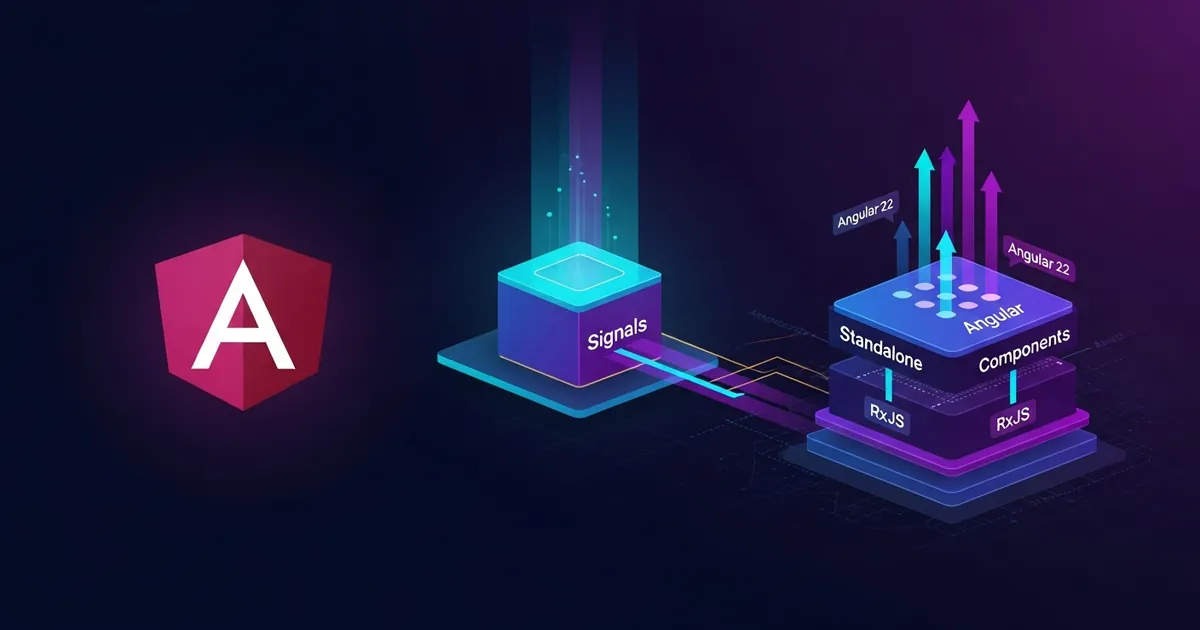
Introduction
Angular 22 arrived in March 2026, consolidating a clear strategy for reactivity and for modernizing the framework’s architecture. If you work on large-scale enterprise projects or are deciding between Angular and React, this is the right moment to understand why Angular radically changed its approach and what that means for your stack.
I spent the last few months integrating Angular 22 into complex projects and realized that much of the confusion developers have comes from shallow comparisons or outdated information about the framework. Angular is no longer the heavy, monolithic framework from the early AngularJS days. With Signals, modern control flow and robust LTS support, Angular has become a serious option for anyone who wants solid architecture without sacrificing productivity.
In this article, I will cover everything from Angular’s trajectory to the concrete architectural decisions that make sense for real projects, including how Signals revolutionized reactivity, why its LTS policy matters, and when Angular is the right choice compared to alternatives like React.
Prerequisites
To get the most out of this article:
- Familiarity with TypeScript (basic types, decorators)
- Previous experience with Angular (any version ≥ v14) or React; the comparative concepts apply to both
- Node.js 18+ or a compatible manager (Bun, Deno)
- Basic understanding of reactive patterns (observables, promises)
If you are completely new to Angular, I suggest reading Começando com Angular: conceitos fundamentais (Portuguese) first before tackling this content.
Angular’s Trajectory: from NgModule to the Standalone Era
Angular was born in 2010 as an internal Google project. Version 1.x (AngularJS) was revolutionary for its time, but faced criticism about performance and scalability. In 2016, Angular 2 was rewritten from scratch in TypeScript, marking the breaking point.
Between 2016 and 2022, the framework evolved conservatively: NgModules were mandatory, breaking changes were common between major versions, and the learning curve was steep. A new Angular project meant unavoidable boilerplate.
Everything changed between Angular 14 (2022) and 22 (2026). The framework began converging toward a standalone-first architecture:
- Angular 14 (2022): Standalone components introduced as experimental
- Angular 15 (2022): Standalone becomes a viable option; first iteration of Signals
- Angular 16 (2023): Stable Signals; SSR hydration
- Angular 17 (2023): New control flow (@if, @switch, @for); standalone as default in ng new
- Angular 18 (2024): Zoneless tracking in preview; RxJS interop with Signals
- Angular 19 (2024): Deeper Signals-RxJS integration
- Angular 20 (2025): Updated Material design; CLI refinements
- Angular 22 (2026): Consolidated Signals; Zoneless in preview; robust RxJS interop
This trajectory matters because it explains why migrating from v14 to v22 is not trivial — you are not just updating, you are adopting a new reactivity paradigm.
Angular 22 in Today’s Context: Signals and Reactivity
The biggest change in Angular 22 is not an isolated feature; it is the complete reorientation of how reactivity works.
Historically, Angular relied on RxJS Observables as the source of truth. Observables are powerful, but they require:
- Declaring complex types (debounce, switchMap, takeUntil)
- A mental model based on streams
- Pipe chains that are readable but sometimes opaque
Signals change that. A Signal is a reactive primitive: a value container that notifies subscribers when it changes.
| |
This is almost too simple when you come from RxJS. It isn’t magic—it is a clean reactive pattern without unnecessary complexity.
💡 Tip: Signals do not replace RxJS. Use RxJS for complexity (networking, real-time, debounce). Use Signals for local state and simple reactive UI. The
toSignal()andtoObservable()functions bridge the two.
In Angular 22, zones (Zone.js) start to leave the stage. The framework can now run in “zoneless” mode—detecting changes only where Signals changed, not across the whole app. This drastically reduces change detection overhead.

Architecture for Complex Projects with Angular 22
When scaling Angular to projects with hundreds of components, architectural decisions matter. Angular 22 offers clear patterns:
Recommended structure (2026)
| |
Why this structure?
- Standalone components (default in Angular 22) live in the features folder, each one self-contained
- Lazy loading happens via routing configuration in
dashboard.routes.ts - Shared services centralize logic, avoiding duplication
- Core services are singletons injected at the app root
State Management in Angular 22
For global state, the mature options in 2026:
| Option | Use Case |
|---|---|
| Signals + Services | Simple/medium state; recommended for new projects |
| NgRx (v17+) | Enterprise applications; mandatory unidirectional flow |
| Akita | Simpler alternative to NgRx; good for mid-sized apps |
| Mobx | Automatic reactivity; integrates well with Signals |
For 90% of projects, Signals in a singleton service is enough:
| |
Components inject and use read-only signals—with no direct access to mutation.
Angular’s Roadmap and LTS Strategy
Angular follows a predictable release calendar:
- A major version every 6 months: March and September
- Versions active for 18 months: 6 months of critical support + 12 of LTS
Support Timeline (2026)
| Version | Release | Active Ends | LTS Ends |
|---|---|---|---|
| v20 | Mar 2025 | Mar 2026 | Mar 2027 |
| v21 | Sep 2025 | Sep 2026 | Sep 2027 |
| v22 | Mar 2026 | Sep 2027 | Sep 2028 |
| v23 | Sep 2026 | Mar 2028 | Mar 2029 |
What does this mean for you?
If you migrate to Angular 22 today (June 2026), you get:
- 1 year and 3 months of active support (critical + features)
- 2 years and 3 months of total support (security)
- A clear path to v23 in September 2026
Enterprise projects running v20 still have 9 months of LTS—enough time to plan the migration without pressure.
ℹ️ Info: The
ng updatecommand in Angular 22 is robust. Migrations between consecutive versions (v21 → v22) usually complete automatically with few manual changes.
Comparison: Angular vs React
This is the question I get most often. There are no absolute answers, but there are clear patterns.
Philosophy
| Aspect | Angular | React |
|---|---|---|
| Scope | Full framework (routing, forms, HTTP, tests) | View library |
| Reactivity | Signals (primitives) + RxJS (streams) | Hooks + functional components |
| State Management | Built-in (NgRx, Signals) | External (Redux, Zustand, Jotai) |
| Learning Curve | Steep; more concepts upfront | Gentle; incremental |
| Bundle Size | ~140 KB (gzip) | ~40 KB (plain React) |
| Rendering | Automatic change detection | Explicit with useMemo/useCallback |
When to Choose Angular
Long-lived enterprise project (3+ years)
- You want stability and predictability
- 18 months of LTS per version is a safety net
- Mandatory TypeScript aligns with corporate rigor
Large team, multiple squads
- Conventions over configuration
- Standard folder structure
- Less freedom, less chaos
Complex monolithic application (dashboard, admin panel)
- Routing, form validation and HTTP built in
- Fewer decisions about “which lib to use”
Real-time / WebSocket-heavy
- RxJS Observables are natural for streams
- Signals + RxJS is a powerful combo
When to Choose React
Prototyping / fast MVP
- Gentler curve
- Huge community
Small to medium application (single page, landing page)
- Small bundle matters
- Simplicity of JSX
The team loves architectural freedom
- “Pick your libs”
- Radical customization
You already master React
- Time to market is the critical factor
- Expertise is worth more than the “ideal” technology
📝 Example: I see successful React projects running Nextjs + Redux + tRPC with 5 people, and equally successful Angular projects with teams of 15. It’s not about technology—it’s about alignment.

npm, Bun and Deno in the Angular Ecosystem
An often-overlooked aspect: which runtime/package manager should you use with Angular 22?
npm (Node.js + npm/yarn/pnpm)
- Mature: stable ecosystem since 2009
- Default:
ng newstill generates for Node.js - Bundle: webpack (v5) via @angular/cli
- Lock files: package-lock.json, yarn.lock, pnpm-lock.yaml
| |
Recommendation: Keep npm/pnpm for production unless you have a strong reason to switch.
Bun (~0.5x faster than npm)
- Fast: installs 2-5x faster
- Support: Angular 22 works with Bun, but it is not officially “tested and validated”
- Trade-off: Smaller community; issues with certain native packages
| |
Recommendation: Use it for local dev. Production is still Node.js.
Deno (Node.js compatible since 2024)
- Modern runtime: no mandatory package.json
- Security: granular permissions (read, net, env)
- Support: Angular 22 has no official support; you would have to rely on Node.js compatibility
| |
Recommendation: Wait. Deno+Angular is still not production-ready in 2026.
Pragmatic take: Use npm/pnpm in production, and Bun for local dev if your team enjoys speed.
Essential CLI Commands in Angular 22
@angular/cli is your best friend. Here are the commands that really matter:
| |
Angular 22’s ng update is robust enough to update between consecutive versions almost automatically. Always test on a branch; there are always edge cases.
Practical Example: Reactive Dashboard with Signals
I will show a real example you can reuse: a simple dashboard with state in Signals, without NgRx.
| |
This example illustrates:
- Signal in a service for state (
usersSignal) - asReadonly() for encapsulation
- @if / @for new control flow
- Standalone component (no NgModule)
- CommonModule imported locally
📂 Source Code: Complete example of the recommended architecture (2026), including
core,shared,featuresand per-module routes:BlogSamples/Frontend/Angular22/Recommended2026/
Tips and Good Practices
Start with Signals for new state, not RxJS right away
- Signals are more readable for simple UI state. Reserve RxJS for complex behavior (debounce, switchMap). The trend is for Signals to grow; avoid RxJS technical debt where it makes no sense.
Use readonly Signals in injected components
- Never pass
signal.set()directly to child components. Usesignal.asReadonly()in services and keep mutations isolated in methods. This reduces coupling and silent bugs.
- Never pass
Lazy load features via routing
- Define routes with
loadComponentorloadChildrenfor each feature. The bundle shrinks drastically. Only dashboard and auth load at startup.
- Define routes with
Avoid breaking changes between minor versions
- Angular 22.1.x and 22.2.x are backward-compatible. But between v22 → v23, breaking changes can happen. Always test in CI/CD.
RxJS toObservable() in complex forms
- If your form has async validation or chained watchers, convert Signals to Observables with
toObservable(). RxJS operators (debounceTime, switchMap) fit naturally.
- If your form has async validation or chained watchers, convert Signals to Observables with
Objective Summary
Angular 22 — major version from March 2026, consolidating Signals as the default reactive primitive, with RxJS integrated for complex cases and 18 months of LTS support (6 active + 12 critical).
Signals — simple reactive containers that replace much of RxJS in enterprise code;
signal(),computed()andeffect()form the essential trio;asReadonly()encapsulates mutation.Standalone Components — default pattern in Angular 22; NgModules are not mandatory; each component declares its dependencies via
imports, reducing boilerplate.Recommended Architecture — features folder with lazy loading, singleton core services, shared components/pipes; Signals in services for state, NgRx/Akita for giant enterprise apps.
LTS Strategy — Angular 22 active until September 2027, LTS until September 2028;
ng updateautomates migrations between versions; enterprise plans should use v20 or v22 now.Angular vs React — Angular for complex, long-term projects with large teams; React for prototypes, MVPs and architectural freedom; technology matters less than alignment and expertise.
npm/Bun/Deno — npm/pnpm production-ready; Bun dev-only for speed; Deno is not Angular-ready yet.
New Control Flow — @if, @switch, @for replace *ngIf, *ngSwitch, *ngFor; more readable syntax, better performance in zoneless mode.
Read Also
- Começando com Angular: conceitos fundamentais (Portuguese)
- RxJS avançado: padrões de streaming em produção (Portuguese)
- TypeScript strict mode e type narrowing (Portuguese)
References
- Angular Official Documentation — angular.dev — official Angular 22 documentation, including guides on Signals, routing and migration
- Angular Release Schedule — official release calendar, LTS support and breaking change policies
- Signals Documentation — Angular Docs — detailed guide on Signals, computed(), effect() and RxJS interop
- RxJS Integration with Signals — toSignal(), toObservable() and RxJS → Signals migration patterns
- Angular CLI Command Reference — complete documentation for ng serve, ng generate, ng update and deployment commands
By commenting, you agree to our Privacy Policy, Terms of Use, Data Deletion Policy.