Introduction
If you are tired of typing repetitive commands such as pip install, docker build or hugo server, it is time to get to know the Makefile. This tool, present on Unix systems for decades, is still one of the most efficient ways to automate tasks in a developer’s daily routine — and it fits perfectly with modern CI/CD flows, like the ones I covered in Azure DevOps pipelines.
A Makefile is a rules file interpreted by the GNU Make utility, which organizes named tasks (targets) and their dependencies. With it, you replace sequences of manual commands with simple calls such as make build, make test or make deploy. The result is a standardized, reproducible and documented workflow — essential qualities for teams that value consistency.
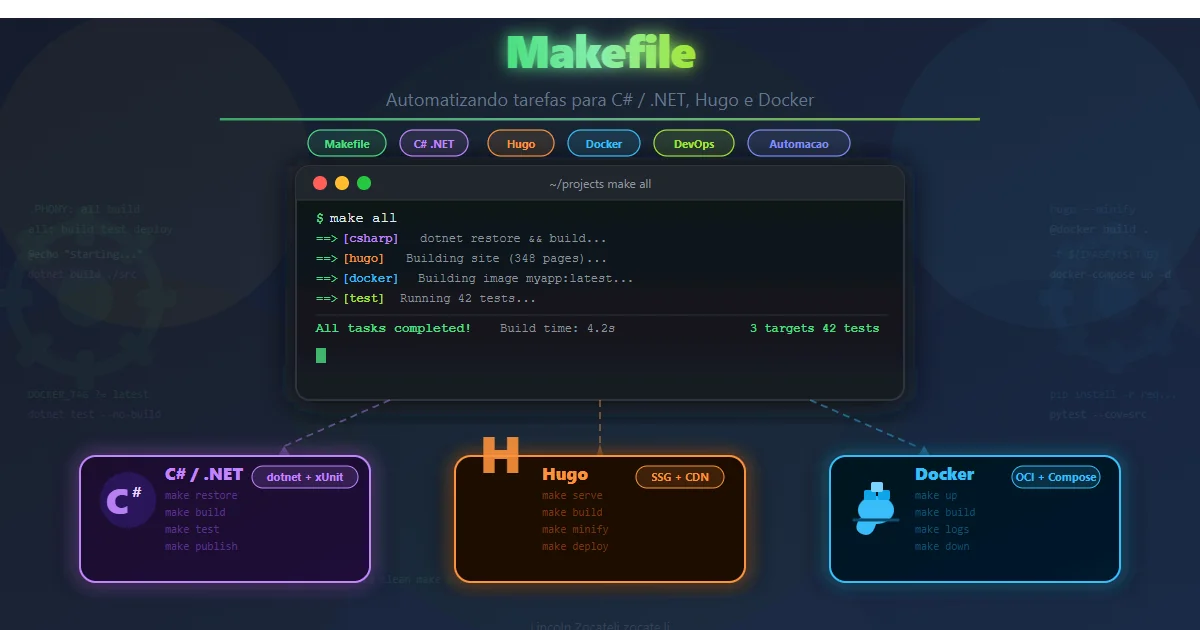
In this article, I explore the structure of a Makefile, build practical examples for Python, Hugo and Docker, and then combine everything into a single multi-project Makefile. By the end, you will have ready-to-use templates to apply to your projects right away.
This content is aimed at developers, DevOps engineers and technical content creators who want to gain productivity by eliminating repetitive tasks. If you have never used make or want to improve how you use it, keep reading.
What a Makefile Is and Why to Use One
A Makefile is a text file that describes build rules and task automation. Originally created to compile C programs, it evolved and today is used to automate any kind of command-line operation.
Main benefits
- Automation: avoids repeating commands manually. A single
make testreplaces a whole sequence of steps. - Standardization: everyone on the team uses the same commands, reducing “it works on my machine”.
- Productivity: a single command for complex multi-step tasks.
- CI/CD integration: pipelines can call
make build,make test,make deploy— making the Makefile a unified interface between local development and automation. - Self-documentation: target names serve as documentation of the available flows.
ℹ️ Info:
makecomes preinstalled on most Linux distributions and on macOS. On Windows, you can usemakethrough WSL, Chocolatey (choco install make) or Git Bash.
Basic Structure of a Makefile
Before looking at real examples, it is essential to understand the anatomy of a Makefile. The structure is simple, but it has strict formatting rules.
| |
| Element | Description |
|---|---|
| target | Task name (e.g., build, test, deploy) |
| dependencies | Other targets that must run first (optional) |
| commands | Each line starts with a TAB (not spaces!) — this is rule #1 |
Essential concepts
.PHONY: declares targets that do not correspond to real files. Without it, if a file namedbuildexists in the directory,make buildmay get confused and run nothing.- Variables: let you reuse values such as paths, image names and versions.
- Dependencies: ensure steps run in the correct order (e.g.,
deploydepends onbuild).
| |
⚠️ Warning: Command indentation must be a TAB, not spaces. This is the most common beginner mistake. Configure your editor to show invisible characters when editing Makefiles.
Practical Example — Makefile for Python
I start with the most common scenario: a Python project that needs a virtual environment, linting, tests and execution.
| |
With this Makefile, the workflow becomes simple and predictable:
| |
💡 Tip: Always include a
helptarget as the default target (the first one in the file). That way, runningmakewith no arguments shows the documentation of the available commands.
Practical Example — Makefile for Hugo
If you use Hugo to generate static sites — such as a technical blog — you can automate the build, the local server and the deploy with a Makefile.
| |
With this:
| |
Note that deploy depends on build, which depends on clean. make resolves the chain automatically — you only need to run make deploy and all previous steps run in the correct order.
Practical Example — Makefile for Docker
For container projects, the Makefile removes the need to remember Docker and Docker Compose flags and parameters.
| |
Now:
| |
📌 Example: Want to use a different image? Just pass the variable in the call:
make build IMAGE_NAME=meuapp IMAGE_TAG=v1.2.0. This flexibility makes the Makefile adaptable without editing the file.
Putting It All Together — Multi-Project Makefile
In real projects, it is common to have Python, Hugo and Docker in the same repository. You can create a root Makefile that combines all the automations, using prefixes to organize the targets.
| |
ℹ️ Info: Using prefixes (
py-,hugo-,docker-) is a convention that avoids name conflicts and makes targets easy to discover viamake helpor shell autocompletion.
Tips and Good Practices
After years of using Makefiles in real projects, these are the practices that pay off the most:
- Always declare
.PHONY: without it, targets such asbuildortestmay conflict with files of the same name in the directory, makingmakesilently skip execution. - Use variables to avoid repetition: paths, image names, tool versions — anything that appears more than once should become a variable at the top of the file.
- Make a
helptarget the default: the first target in the Makefile is the default. A well-madehelpserves as living documentation. - Combine it with CI/CD: pipelines can call
make test,make buildandmake deploy, creating a single interface between the local and the automated environments. - Document it in the README: list the available targets and their purposes so anyone on the team knows how to use them.
- Define dependencies between targets: use
deploy: buildto guarantee the execution order.maketakes care of resolving it automatically. - Test it in the CI environment: make sure
makeis available on the build agent. In CI Docker images, you may need to install thebuild-essentialormakepackage.
⚠️ Warning: Avoid putting complex logic inside the Makefile. If a command has more than 3-4 lines, consider moving it to a separate Bash script and calling it from the Makefile. This improves readability and testability.
Conclusion
The Makefile is a simple but powerful tool that every developer should have in their arsenal. In this article, I showed how it works, built practical examples for Python (setup, lint, tests), Hugo (local server, build, deploy) and Docker (image build, compose, cleanup), and combined everything into a multi-project Makefile.
The big advantage of the Makefile is creating a standardized interface for project operations. Instead of each person on the team remembering different command sequences, everyone uses the same targets — and the same Makefile works both in the local terminal and in CI/CD pipelines.
If you want to go further, explore advanced features such as conditionals (ifeq, ifdef), string functions ($(patsubst ...)) and includes (-include .env) to load variables from a .env file. For projects involving API and token security, also see how to apply security best practices when automating deploys.
Did you like this content? Leave a comment with your favorite Makefile use case, or share this article with someone on your team who still suffers typing commands manually.
Read Also
- Terminal vs Pipeline: differences when running scripts
- BFF Backend For Frontend: Security in SPAs
- Authentication & Authorization: JWT, OAuth2, OpenID Connect
References
- GNU Make Manual — complete official GNU Make reference.
- Docker Documentation — Getting Started — official Docker documentation for beginners.
- Hugo Documentation — official documentation of the Hugo static site generator.
- Python venv — Virtual Environments — official Python module for creating virtual environments.
- Install WSL on Windows — official Microsoft guide to install WSL and run
makeon Windows. - Makefile Tutorial — makefiletutorial.com — interactive, practical Makefile tutorial.
By commenting, you agree to our Privacy Policy, Terms of Use, Data Deletion Policy.