Introduction
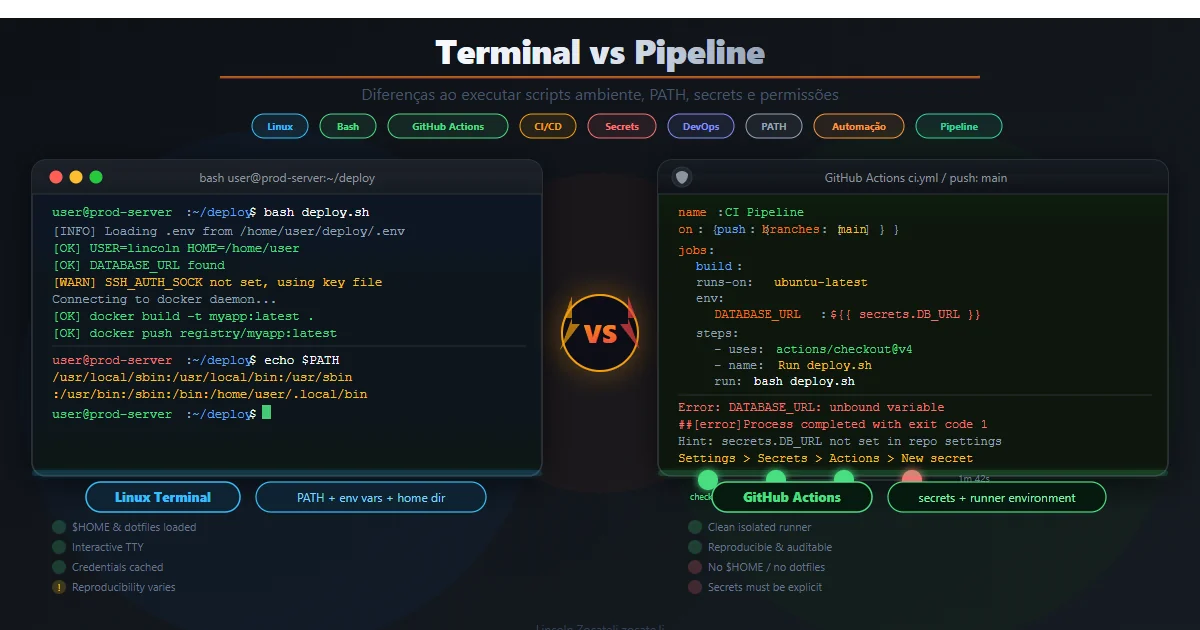
A script that runs successfully in a server terminal can fail in a CI/CD pipeline because the execution environment is different. The agent may use another account, a different shell, a restricted PATH, a separate working directory or different credentials. Successful interactive execution is not proof that the same script will work unattended.
When I investigate this problem, I compare those contexts before changing the script itself. A missing binary, an unexpected directory or an authentication prompt can explain a failure that initially looks mysterious. The goal is to make the required environment explicit rather than depend on the personal configuration of whoever tested the script.
This article explores what changes between a Linux server terminal and an Azure DevOps pipeline. It covers users, environment variables, permissions, network access and ephemeral state, followed by examples, a diagnostic checklist and a Bash template. These principles also apply to other CI/CD systems.
The intended audience includes developers, DevOps engineers and system administrators who need repeatable automation. Task automation with Makefile provides related background in Portuguese. The practical objective is to reduce assumptions, so scripts work reliably both locally and in a job with no human present to answer questions.
I do not assume that every pipeline has the same permissions or installed tools. Hosted and self-hosted agents have different contracts. A useful diagnosis identifies the actual account, image and task configuration involved, then checks the dependencies that the script really uses.
What changes between the terminal and a pipeline
| Aspect | Server terminal | Pipeline |
|---|---|---|
| User/session | Your interactive account | Agent or service account, usually noninteractive |
| Shell | User’s configured shell and profile | Shell invoked by the task; profile loading differs |
| Environment | Local variables and customized PATH | Controlled job variables and a different PATH |
| Working directory | Whatever directory you opened | Agent workspace or task-configured directory |
| Permissions | Your account’s permissions and possibly a TTY | Agent permissions; usually no interactive TTY |
| Dependencies | Server tools and installed versions | Tools available on the selected agent/image |
| Interaction | You can answer prompts | Prompts can hang or fail |
| Network | Server routes, proxy and certificates | Agent routes, proxy and egress restrictions |
| Files | Persistent server paths | Repository workspace and pipeline artifacts |
| Resources | Host limits | Job timeouts, quotas and concurrency limits |
| Logs | Local history, syslog or files | Centralized logs, secret masking and retention |
| State | Persistent machine state | Hosted agents are typically ephemeral |
Information: Use this table to identify concrete differences. A pipeline is not simply your terminal opened remotely: its account, directory and dependencies must be established separately.
Why the execution context matters
User and TTY
In a terminal, commands run as your user with a terminal device. Tools can detect the TTY and enable prompts, colors or interactive authentication. The pipeline agent normally runs without a person present. A read statement, a password prompt or an authentication wizard can therefore block the job.
The agent documentation describes the role of agents in executing jobs. Check the service identity and how that agent starts, rather than assuming it inherits the identity of the person who queued the build.
Environment and PATH
Your local profile may add /usr/local/bin, particular Node/.NET/Java versions, aliases and shell functions. None of those conveniences should be assumed in the agent. A tool can be absent, present under a different path or installed at another version. For example, changing the Node version can change dependency behavior even when the source script is identical.
Profiles also load differently between interactive, login and noninteractive shells. Do not treat .bashrc and .profile as interchangeable or assume that a task imports both. Initialize the required environment explicitly in automation.
Directories and relative paths
Scripts that interpret . as a particular directory or rely on an earlier cd are fragile. In Azure Pipelines, source files are normally found under $(Build.SourcesDirectory), while artifacts can be written under $(Build.ArtifactStagingDirectory). A task can also configure its working directory.
Warning: Never assume the current directory matches your terminal. Set the task’s working directory and use explicit paths for files that must be found reliably.
Permissions and security policies
Your interactive account may have sudo access or permissions that the agent account lacks. ACLs, SELinux and AppArmor can also affect access. A service account that cannot read a configuration or restart a service does not become authorized merely because the operation worked in your session.
Check permissions for the actual agent identity. Do not disable security policies to conceal an environment difference. A hosted build agent and a production server are different machines with different responsibilities.
Dependencies and versions
A successful server run may depend on packages installed months earlier. Hosted agents use a predefined image; self-hosted agents depend on how you maintain them. Unless the environments deliberately match, expect differences. Pin critical versions and declare dependencies so the script can fail with a useful message when something is missing.
Network, credentials and state
Registries and APIs may require proxy configuration, corporate certificates or permitted outbound routes. Credentials located under a user’s home directory, such as ~/.aws/credentials or ~/.npmrc, may not exist for the agent account. Use the pipeline’s supported secret mechanisms instead of copying personal credential files.
Ephemeral agents also invalidate assumptions about files left by earlier executions. Use managed artifacts and pipeline caching when the workflow needs data across jobs or runs. A temporary local file is not an artifact contract.
Practical examples
Sudo without an interactive terminal
The following command may ask for a password and fail in an unattended job:
| |
The original example authorizes one specific operation for the agent account:
| |
This requires administrator review and is not a reason to give the agent unrestricted sudo access. Host service operations belong on an appropriate self-hosted deployment environment, not on an unrelated hosted build machine.
A tool available only in your PATH
| |
If jq exists only on your server, the agent needs its own declared installation step or a job container that includes it. The source example uses Ubuntu package installation before running the command:
| |
Do not apply this installation step indiscriminately to every agent type. It assumes a compatible package manager and the required privilege. A pinned container image is another way to make that dependency reproducible.
An invisible prompt
| |
An unattended job cannot answer this question. Use an explicit noninteractive mode and pipeline parameters instead of leaving the prompt in the job. The original example retains an optional terminal prompt:
| |
Tip: Separate interactive convenience from automated execution. An explicit noninteractive mode makes the contract visible, while destructive actions still require appropriate authorization outside the prompt.
Azure DevOps considerations
Hosted agents provide a Microsoft-managed, ephemeral environment with predefined tools. Self-hosted agents give you control over OS, versions and installed dependencies. Choose deliberately: owning the machine can improve parity, but also makes you responsible for maintenance and isolation.
For Bash scripts, use Bash@3 and configure workingDirectory when needed. Avoid relying on .bashrc; initialize the required environment within the script or task.
Pass credentials through secret variables or supported service connections. Authentication must be noninteractive and scoped to the operation. Related background on authentication and authorization is available in Portuguese.
Configure timeoutInMinutes so a blocked job does not run indefinitely. Use bounded retries with backoff for genuinely transient external failures. Increasing the timeout does not fix a permanent permission failure or a missing dependency.
Diagnostic checklist
- Identity: inspect
id -u -n,whoami, the shell and whether a TTY exists. - Environment: compare
PATHand locale; inspect only non-sensitive variables. Do not dump secrets into job logs. - Directory: check
pwd, file paths and the task’s working directory. - Tools: use
command -vand version commands for critical binaries. - Permissions: inspect authorized access for the service account. Do not execute a destructive command merely to test permissions.
- Network: verify the relevant endpoint, proxy and certificates without printing credentials.
- Logs: compare application and job errors, not only the final exit status.
- State: identify files that require persistence, caching or artifacts.
A short diagnostic step can reveal a version mismatch before the main work begins. Keep its output scoped: verbose logs and shell tracing can expose credentials even when the pipeline masks some registered secrets.
Tips and good practices
- Standardize the environment. Use a pinned job container or deliberately maintained agent. The same source code is not enough if its runtime differs.
- Declare dependencies. Check critical binaries and versions before starting work. Missing tools should produce an actionable failure, not an unrelated error later.
- Avoid interaction. Use supported noninteractive flags and explicit parameters. Do not leave
read, menus or authentication wizards in unattended jobs. - Manage credentials securely. Prefer secret variables and service connections. Avoid personal home-directory credential dependencies.
- Use explicit paths. Set the working directory and resolve inputs against a known location. This removes a common source of terminal-only success.
- Seek idempotence. Re-running the script should converge rather than break an already-correct state. Check the current state before modifying it.
- Make failures visible.
set -euo pipefailhelps surface errors, but does not replace deliberate error handling. Use debug tracing only when it cannot expose sensitive values.
Bash template
The original article’s template illustrates environment normalization, dependency checks and bounded retries. It is a starting point, not a production deployment policy; review permissions, logging and the external endpoint before use.
| |
The source continues by passing an API token to curl. Do not enable shell tracing around secret-bearing calls, and do not include command arguments containing tokens in retry error messages. Those details need hardening before using the template with real credentials.
Objective Summary
- Execution context includes the account, shell, working directory, dependencies and network; it can explain terminal/pipeline differences without a script logic bug.
- Noninteractive jobs cannot reliably answer prompts and require an explicit unattended execution contract.
- PATH and tool versions must be declared or checked, rather than inherited from personal profiles.
- Ephemeral agents require managed artifacts or caches for state that must survive a job.
- Security requires scoped credentials, reviewed permissions and logs that do not expose secrets.
Read Also
- Makefile task automation (Portuguese).
- Authentication and authorization: JWT, OAuth2 and OpenID Connect (Portuguese).
- BFF security for SPAs (Portuguese).
References
- What is Azure Pipelines?: the CI/CD service.
- Azure Pipelines agents: hosted and self-hosted execution.
- Secret variables: supported secret management.
- Pipeline caching: managed cache behavior.
- Bash Reference Manual: shell behavior and error handling.
- SELinux: mandatory access control on Linux.
By commenting, you agree to our Privacy Policy, Terms of Use, Data Deletion Policy.